
As I previously mentioned I like to make surprises to the people I value. You can find some of my unique geeks’ gifts ideas in my- Geeks Gifts Series. In this article, I will share with you an idea of mine that I developed to surprise a girl for 8th of March. I knew that she likes cats, so I decided to create an app that changes her desktop’s wallpaper with a random HD cat image.
Quick Navigation
Cats or Flowers Wallpaper Changing App Code
Add Wallpaper Images as Resources
Get Instant Access to the latest Source CODE
What Is the Gift’s Idea?
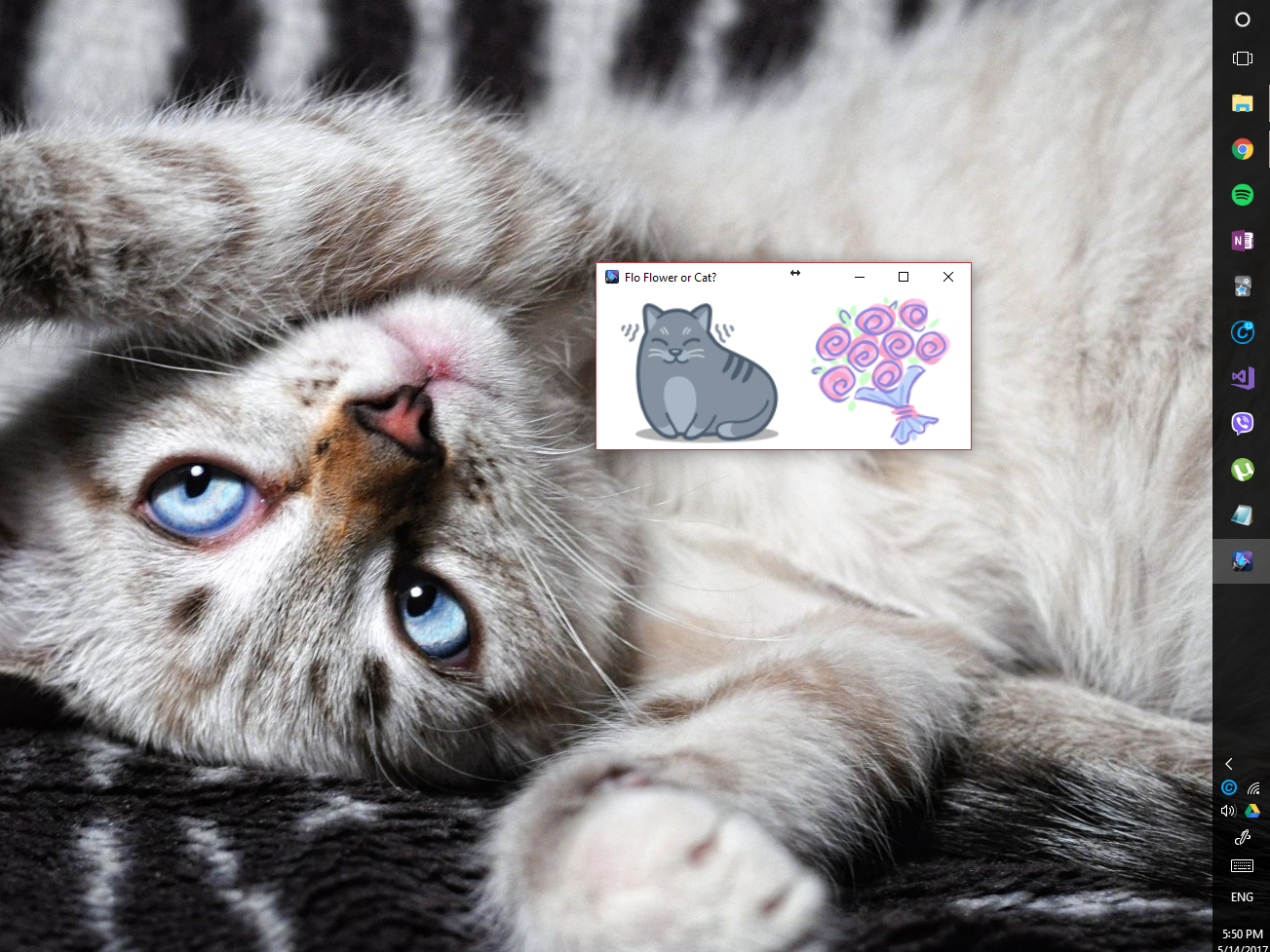
So, as I told you it was 7th of March and I wanted to create an original gift for a girl, lets named it Amara. So I knew that this Amara likes cats and as every woman- flowers. Also, she didn’t have IT background so I thought that I could impress her with a little app. The idea was that there are two icons- one of a flower and one of a cat. Once she clicks the cat, a random cool cat is displayed as a wallpaper. The same happens with the flower button. This way she can be surprised every day with different beautiful images reminding her of the app’s creator.
Cats or Flowers Wallpaper Changing App Code
The app that you have seen above is a WPF application. It contains a grid with two images that has an implemented MouseDown event. I downloaded the icons from Flaticon, there you can find lots of other free icons. Below you can find the code of the only page of the app.
| <Window x:Class="FlowersCatsSurprise.MainWindow" | |
| xmlns="http://schemas.microsoft.com/winfx/2006/xaml/presentation" | |
| xmlns:x="http://schemas.microsoft.com/winfx/2006/xaml" | |
| xmlns:d="http://schemas.microsoft.com/expression/blend/2008" | |
| xmlns:mc="http://schemas.openxmlformats.org/markup-compatibility/2006" | |
| mc:Ignorable="d" | |
| Title="Flo Flower or Cat?" Height="200" Width="400" Loaded="Window_Loaded" MinHeight="200" MaxHeight="200" MinWidth="400" MaxWidth="400" > | |
| <Grid> | |
| <Image Source="catIcon.ico" Margin="-86,0,86,0" MouseDown="Cat_MouseDown" /> | |
| <Image Source="flowerIcon.ico" Margin="197,0,0,0" MouseDown="Flower_MouseDown" /> | |
| Grid> | |
| Window> |
WallpaperChangingService
| public static class WallpaperChangingService | |
| { | |
| const int SPI_SETDESKWALLPAPER = 20; | |
| const int SPIF_UPDATEINIFILE = 0x01; | |
| const int SPIF_SENDWININICHANGE = 0x02; | |
| [DllImport("user32.dll", CharSet = CharSet.Auto)] | |
| static extern int SystemParametersInfo(int uAction, int uParam, string lpvParam, int fuWinIni); | |
| public static void Set(Bitmap fileName, WallpaperStyle style) | |
| { | |
| try | |
| { | |
| string tempPath = Path.Combine(Path.GetTempPath(), "wallpaper.bmp"); | |
| fileName.Save(tempPath, System.Drawing.Imaging.ImageFormat.Bmp); | |
| RegistryKey key = Registry.CurrentUser.OpenSubKey(@"Control PanelDesktop", true); | |
| if (style == WallpaperStyle.Stretched) | |
| { | |
| key.SetValue(@"WallpaperStyle", 2.ToString()); | |
| key.SetValue(@"TileWallpaper", 0.ToString()); | |
| } | |
| if (style == WallpaperStyle.Centered) | |
| { | |
| key.SetValue(@"WallpaperStyle", 1.ToString()); | |
| key.SetValue(@"TileWallpaper", 0.ToString()); | |
| } | |
| if (style == WallpaperStyle.Tiled) | |
| { | |
| key.SetValue(@"WallpaperStyle", 1.ToString()); | |
| key.SetValue(@"TileWallpaper", 1.ToString()); | |
| } | |
| SystemParametersInfo(SPI_SETDESKWALLPAPER, | |
| 0, | |
| tempPath, | |
| SPIF_UPDATEINIFILE | SPIF_SENDWININICHANGE); | |
| } | |
| catch | |
| { | |
| // ignored | |
| } | |
| } | |
| } |
This is the place where most of the magic happens. First, you need to users32’s method SystemParamersInfo which sets the wallpaper. Also before it is called you need to set a new value in the Control PanelDesktop registry key. The value varies from the wallpaper’s style- Stretched, Centered or Tiled. We will use Centered. This is a utility class because of that it is marked as static as all methods inside it.
Add Wallpaper Images as Resources
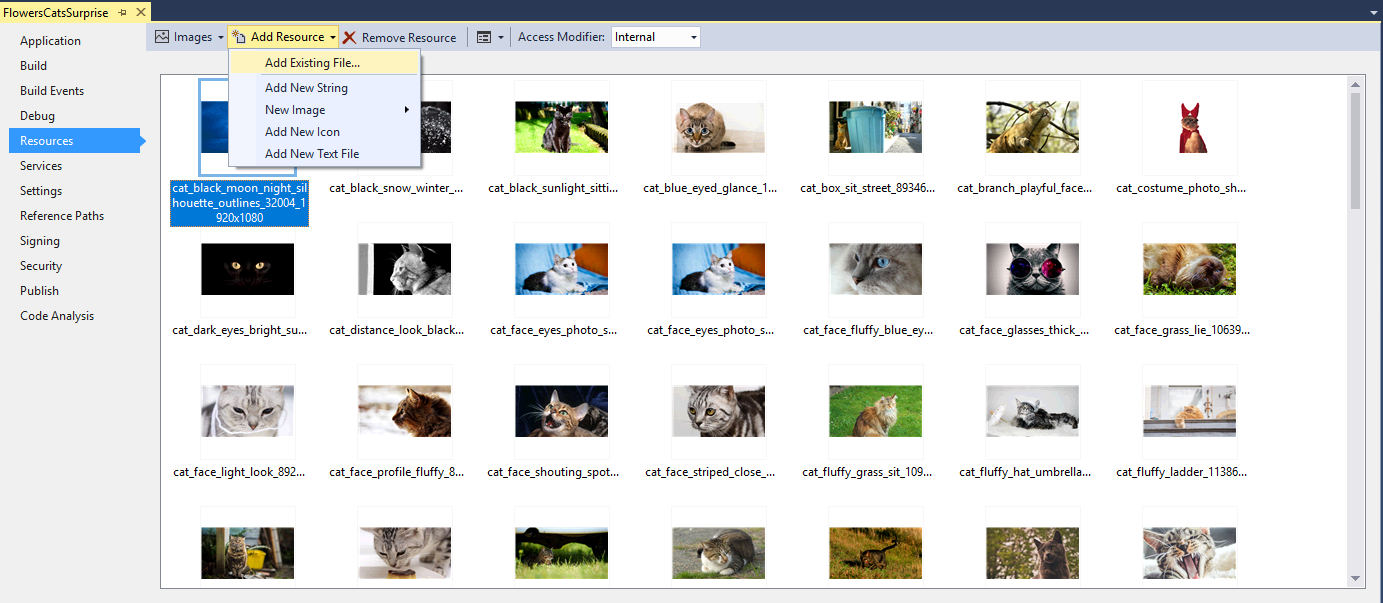
You can find lots of high definition wallpapers for free if you just google. I have downloaded 40 cats and 40 flowers images. Since we want the app to be portable (not to be installed), this means that all of the images should be embedded in the executable file. To do that you need to add all of the pictures as resources.
1. Open the Properties of the WPF project.
2. Then navigate to the Resources section.
3. After that you need to click on the Add Resource button.
4. Choose Add Existing File and select all of the cats and flowers that you have downloaded.
5. To be able to recognise which images are cats and which are flowers, we use the cat_ and flower_ prefix in the files names.
Main Window Code Behind
Below you can find the code of the Window XAML page. Here I implemented the MouseDown event. Also, we load the images from the resources.
| public partial class MainWindow : Window | |
| { | |
| List<Bitmap> flowers = new List | |
| List<Bitmap> cats = new List | |
| Random randCat = new Random(); | |
| Random randFlower = new Random(); | |
| bool canBeClickedAgain = true; | |
| public MainWindow() | |
| { | |
| InitializeComponent(); | |
| } | |
| private void Cat_MouseDown(object sender, MouseButtonEventArgs e) | |
| { | |
| if (canBeClickedAgain) | |
| { | |
| canBeClickedAgain = false; | |
| int randCatIndex = randCat.Next(0, cats.Count - 1); | |
| WallpaperChangingService.Set(cats, WallpaperStyle.Centered); | |
| canBeClickedAgain = true; | |
| } | |
| } | |
| private void Flower_MouseDown(object sender, MouseButtonEventArgs e) | |
| { | |
| if (canBeClickedAgain) | |
| { | |
| canBeClickedAgain = false; | |
| int randFlowerIndex = randFlower.Next(0, flowers.Count - 1); | |
| WallpaperChangingService.Set(flowers, WallpaperStyle.Centered); | |
| canBeClickedAgain = true; | |
| } | |
| } | |
| private void Window_Loaded(object sender, RoutedEventArgs e) | |
| { | |
| ResourceSet resourceSet = Properties.Resources.ResourceManager.GetResourceSet(CultureInfo.CurrentUICulture, true, true); | |
| foreach (DictionaryEntry entry in resourceSet) | |
| { | |
| string resourceKey = entry.Key.ToString(); | |
| object resource = entry.Value; | |
| if (resourceKey.Contains("cat")) | |
| { | |
| cats.Add(resource as Bitmap); | |
| } | |
| else if (resourceKey.Contains("flowers")) | |
| { | |
| flowers.Add(resource as Bitmap); | |
| } | |
| } | |
| } | |
| } |
Since the wallpaper change is not instant, it can take a couple of seconds depending on the machine. I added special safety check with the canBeClickedAgain variable. We use the .NET built-in random generator to get a random flower or cat from the bitmaps’ lists.
These bitmap collections are loaded through the ResourceManager. We use its GetResourceSet method. It returns a dictionary of the names of the files and objects. Then we cast the object to bitmap and add it to the appropriate list.
Finish the App- Add an Icon
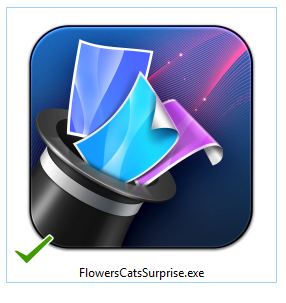
In order your surprise to look more complete you need to change the icon for your app. You will find lots of sites for free icons. For example- FlatIcon. After you, download the most appropriate one, open the properties of the project file and change the icon from the Application tab (Resources section).
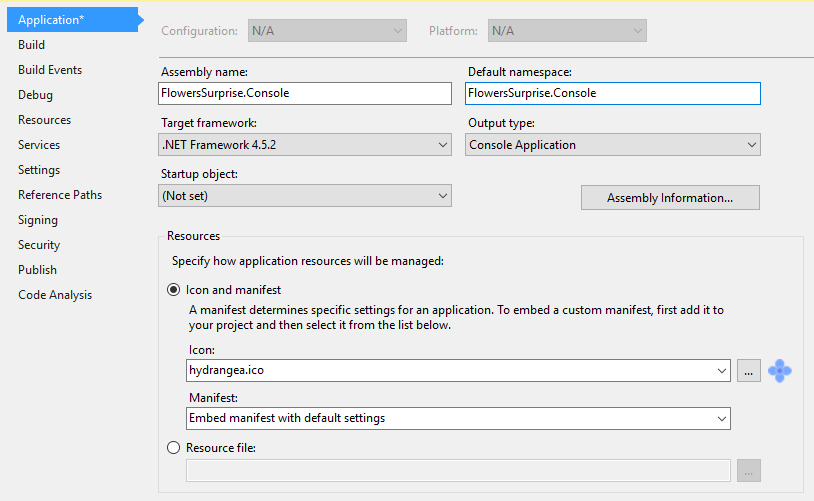
Here I chose a magician hat since the app always ‘throws’ a new cat or flower.
[xyz-ihs snippet=”Geeks-Gifts-Ads-Placeholder”]
@media (min-width: 300px){[data-css=“tve-u-1886173d6fe”] .tcb-button-link{letter-spacing: 2px;border-radius: 5px;padding: 12px 15px;background-color: transparent !important;background-image: none !important;—tve-applied-background-image: none !important;—background-image: none !important;}[data-css=“tve-u-1886173d6fe”] .tcb-button-link span{color: rgb(255,255,255);—tcb-applied-color: #fff;}[data-css=“tve-u-1886173d6fe”]{—tcb-local-color-62516: rgb(77,20,20) !important;margin: 0px !important;}:not(#tve) [data-css=“tve-u-1886173d6fe”] .tcb-button-link{line-height: 1.2em;font-size: 18px;}}
[thrive_posts_gallery category=’70’ title=”Geeks Gifts” no_posts=”6″ filter=”recent”]
[xyz-ihs snippet=”CodeProject”]
