

1. Create Steps with Optional Parameters
Use Case
Feature Scenarios
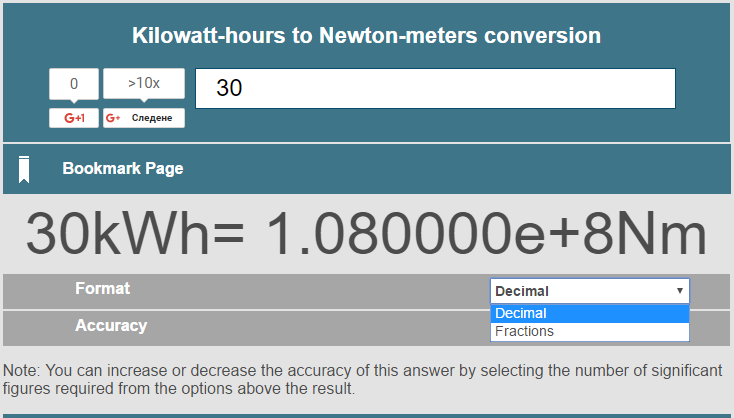
Scenario: Successfully Convert Kilowatt - hours to Newton-meters
When I navigate to Metric Conversions
And navigate to Energy and power section
And navigate to Kilowatt-hours
And choose conversions to Newton-meters
And type "30" kWh
Then assert that 1.080000e+8 Nm are displayed as answer
Scenario: Successfully Convert Kilowatt-hours to Newton-meters in Fractions format
When I navigate to Metric Conversions
And navigate to Energy and power section
And navigate to Kilowatt-hours
And choose conversions to Newton-meters
And type 30 kWh in Fractions format
Then assert that 1079999999??,64 Nm are displayed as answer
Binding Methods
[When(@"type (.*) kWh")]
public void WhenTypeKWh(double kWh)
{
    this.kilowattHoursPage.ConvertKilowattHoursToNewtonMeters(kWh);
}
[When(@"type (.*) kWh in (.*) format")]
public void WhenTypeKWhInFormat(double kWh, Format format)
{
    this.kilowattHoursPage.ConvertKilowattHoursToNewtonMeters(kWh, format);
}
public void ConvertKilowattHoursToNewtonMeters(
double kWh,
Format format = CelsiusFahrenheitPage.Format.Decimal)
{
this.CelsiusInput.SendKeys(kWh.ToString());
if (format != CelsiusFahrenheitPage.Format.Decimal)
{
string formatText =
Enum.GetName(typeof(CelsiusFahrenheitPage.Format), format);
new SelectElement(this.Format).SelectByText(formatText);
}
this.driverWait.Until(drv => this.Answer != null);
}2. Optional Parameters through ArgumentTransformation
Use Case
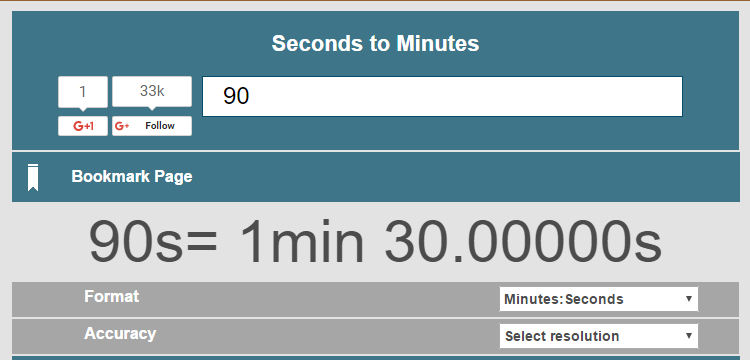
- 1 day, 1 hour, 1 minute, 1 second
- 4 hours, 3 minutes, 2 seconds
- 5 days, 3 minutes
- 3 minutes, 2 seconds
- 4 hours
Feature Scenarios
Scenario: Successfully Convert Seconds to Minutes
When I navigate to Seconds to Minutes Page
And type seconds for 1 day, 1 hour, 1 minute, 1 second
Then assert that 1501 minutes are displayed as answer
Scenario: Successfully Convert Seconds to Minutes No Minutes
When I navigate to Seconds to Minutes Page
And type seconds for 1 day, 1 hour, 1 second
Then assert that 1500 minutes are displayed as answer
Binding Methods
As you can see the type seconds binding doesn’t contain anything special about these inputs. All of the magic is happening in the StepArgumentTransformation step which has its custom regex pattern. Basically, it translates only the part of the date time inputs to TimeSpan which we, later on, convert to seconds. I am not going to decipher the regex since this is not the main topic of the article.
[When(@"type seconds for (.*)")]
public void WhenTypeSeconds(TimeSpan seconds)
{
    this.secondsToMinutesPage.ConvertSecondsToMintes(seconds.TotalSeconds);
}
[Then(@"assert that (.*) minutes are displayed as answer")]
public void ThenAssertThatSecondsAreDisplayedAsAnswer(int expectedMinutes)
{
    this.secondsToMinutesPage.AssertMinutes(expectedMinutes.ToString());
}
[StepArgumentTransformation(@"(?:(d*) day(?:s)?(?:, )?)?(?:(d*) hour(?:s)?(?:, )?)?(?:(d*) minute(?:s)?(?:, )?)?(?:(d*) second(?:s)?(?:, )?)?")]
public TimeSpan TimeSpanTransform(string days, string hours, string minutes, string seconds)
{
    int daysParsed;
    int hoursParsed;
    int minutesParsed;
    int secondsParsed;
    int.TryParse(days, out daysParsed);
    int.TryParse(hours, out hoursParsed);
    int.TryParse(minutes, out minutesParsed);
    int.TryParse(seconds, out secondsParsed);
    return new TimeSpan(daysParsed, hoursParsed, minutesParsed, secondsParsed);
}
3. Data Driven Tests- Examples Table
Use Case

Instead of copy pasting the scenarios we want to specify seconds’ inputs and the expected results and run the tests for all specified data. Above we have generated tests for four data sets.
Feature Scenarios
We can use the scenario outline examples table to accomplish the use case. First instead of using Scenario: we need to change it to Scenario Outline: Below the steps, we specify all of the data sets in the Examples table. You mark the start of the table through Examples: row, then the first row of the table contains the parameters names. Then you can use these names in the scenario using the following syntax .
Scenario Outline: Successfully Convert Seconds to Minutes Table
When I navigate to Seconds to Minutes Page
And type seconds for <seconds>
Then assert that <minutes> minutes are displayed as answer
Examples:
| seconds | minutes |
| 1 day, 1 hour, 1 second | 1500 |
| 5 days, 3 minutes | 7203 |
| 4 hours | 240 |
| 180 seconds | 3 |
Format Data Table
After that, you write the data separated with | symbol. If you type the delimiters manually, Visual Studio will format the table for you, but if you paste the data, you will have to do it manually.
Test Names
For each row, Specflow will generate a separate test. Keep in mind that the names are based on the first parameter of the table (you can see that in the use case image). So if the data in your first column is not unique, your tests’ names will be generated using numbers. In this case, you can add a new first column specifying the test name’s suffix yourself.
4. Pass List of Object to Step
Use Case
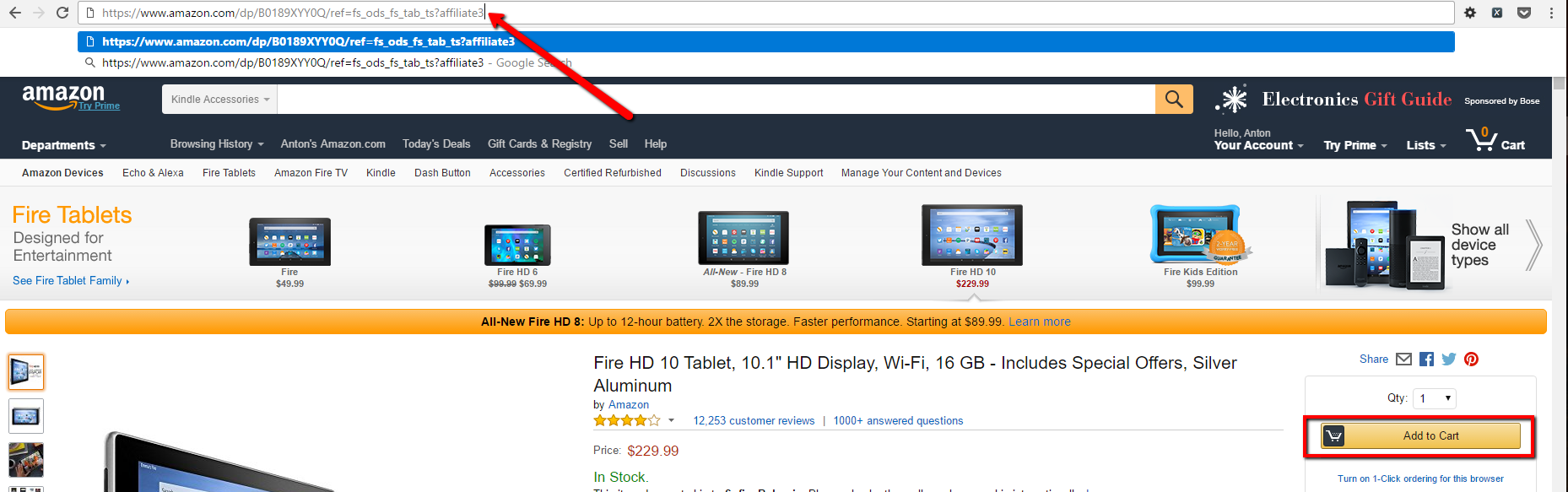
You want in a single test to add multiple items to your shopping cart containing affiliate codes. We need to pass a list of pairs of URLs and affiliate codes to our step.
Feature Scenarios
Scenario: Add Online Store Products with Affiliate Codes
When add products
| Url | AffilicateCode |
| /dp/B00TSUGXKE/ref=ods_gw_d_h1_tab_fd_c3 | affiliate3 |
| /dp/B00KC6I06S/ref=fs_ods_fs_tab_al | affiliate4 |
| /dp/B0189XYY0Q/ref=fs_ods_fs_tab_ts | affiliate5 |
| /dp/B018Y22C2Y/ref=fs_ods_fs_tab_fk | affiliate6 |
You can pass a table of parameters with the above syntax. The test will open each of the URLs adding the specified affiliate code as a query parameter to the URL and then click the Buy Now button.
Binding Methods
You need to install the SpecFlow.Assist.Dynamic NuGet and add a using statement to TechTalk.SpecFlow.Assist. Your step should accept a parameter of type Table. You can iterate through the items of the table without the help of the classes part of the mentioned NuGet. However, I don’t think this is a good practice. I believe that this approach is cleaner. After you pass the table, you use the CreateDynamicSet extension method which returns a collection of dynamic objects. You can access the different columns of the table from the returned objects as properties, but you need to be sure that you don’t have any typos since in this mode Visual Studio is not going to warn you.
[When(@"add products")]
public void NavigateToItemUrl(Table productsTable)
{
    var itemPage = UnityContainerFactory.GetContainer().Resolve<ItemPage>();
    IEnumerable<dynamic> products = productsTable.CreateDynamicSet();
    foreach (var product in products)
    {
        itemPage.Navigate(string.Concat(product.Url, "?", product.AffilicateCode));
        itemPage.ClickBuyNowButton();
    }
}