
In the new Build Enterprise Automation Framework Series, we will look into detailed explanations on creating еnterprise test automation frameworks. Many people starting a new position have this particular assignment, so I think it is crucial to understand how to follow all high-quality standards and practices properly. I am not a fan of reinventing the wheel, so I will encourage you to leverage other proven open-source solutions if they can be used and fit your needs instead of writing your own. Leverage the knowledge and expertise of proven experts in the field. If you follow this advice, this series will be highly useful to you again because you will understand how the test automation frameworks are designed, written, and maintained + how to work internally. The information about the subject will be invaluable to you choosing the right tool for your tests. The series can be even more useful to you if you decide to do everything from scratch.
Article by article, we will discuss different aspects and features of the еnterprise test automation frameworks. At the end of the course, we will have a full-fledged еnterprise test automation framework. The first article from the series will talk not so much about code but rather on how to define what we need (our requirements), how to do research properly- finding the right tools that we will base our framework, and lastly, creating a detailed list of desired characteristics for our solution grouping all of the various features that we will build in the next articles. In the course, I will use as a demo/example our open-source BELLATRIX test automation framework, which I believe is one of the most feature richest open-source frameworks out there.
1. Test Reliability Features
Make sure that you don’t have a real problem, and your tests didn’t fail because of test configuration issues or incorrect handling of timeouts.
Handle All Synchronization Issues
One of the biggest problems in test automation is handling timeouts and performing actions on elements that may not be on the page right now. In the WebDriver world, you have to constantly worry about solving these problems with an implicit wait, explicit wait, or WebDriverWait class. Our new framework should hide the whole complexity of searching and waiting for elements. When we perform an action or assertion against an element, we should guarantee that we are there once returned.
Smart Wait Assertions
These will be additional methods which internally handle the whole complexity of waiting for some conditions to happen. A major part of your tests are the assertions - actually checking whether some conditions are met. This might be checking whether some text is shown or whether some button has been disabled. However, this often doesn’t happen immediately. In the era of web pages with heavy JavaScript usage, most things happen asynchronously.
To handle such scenarios, we should create elements’ Ensure methods. They internally handle the whole complexity of waiting for some condition to happen.
Waits for the message alert to get disabled.
updateCart.EnsureIsDisabled();Wait for message alert to disappear.
messageAlert.EnsureIsNotVisible();We should be able to fine-tune the timeouts.
totalSpan.EnsureInnerTextIs("120.00€", timeout: 30, sleepInterval: 2);For each specific element- button, span, anchor, image, etc. only the relevant Ensure methods should be displayed. Also, we will have similar methods for all technologies - web, mobile, desktop.
2. Accelerated Test Creation or API Usability Features
You can speed up your test creation by providing element snippets, handy elements locators, smart wait for the elements, ready-to-go templates, and much more. Also, the more comfortable and intuitive our API is, the faster we will write new tests.
Speed Test Writing with Element Snippets
Code snippets are small blocks of reusable code that can be inserted in a code file using a context menu command or a combination of hotkeys. In Visual Studio there are expansion snippets, which are added at a specified insertion point and may replace a snippet shortcut. So, we will look into how to create such snippets for our еnterprise test automation framework.
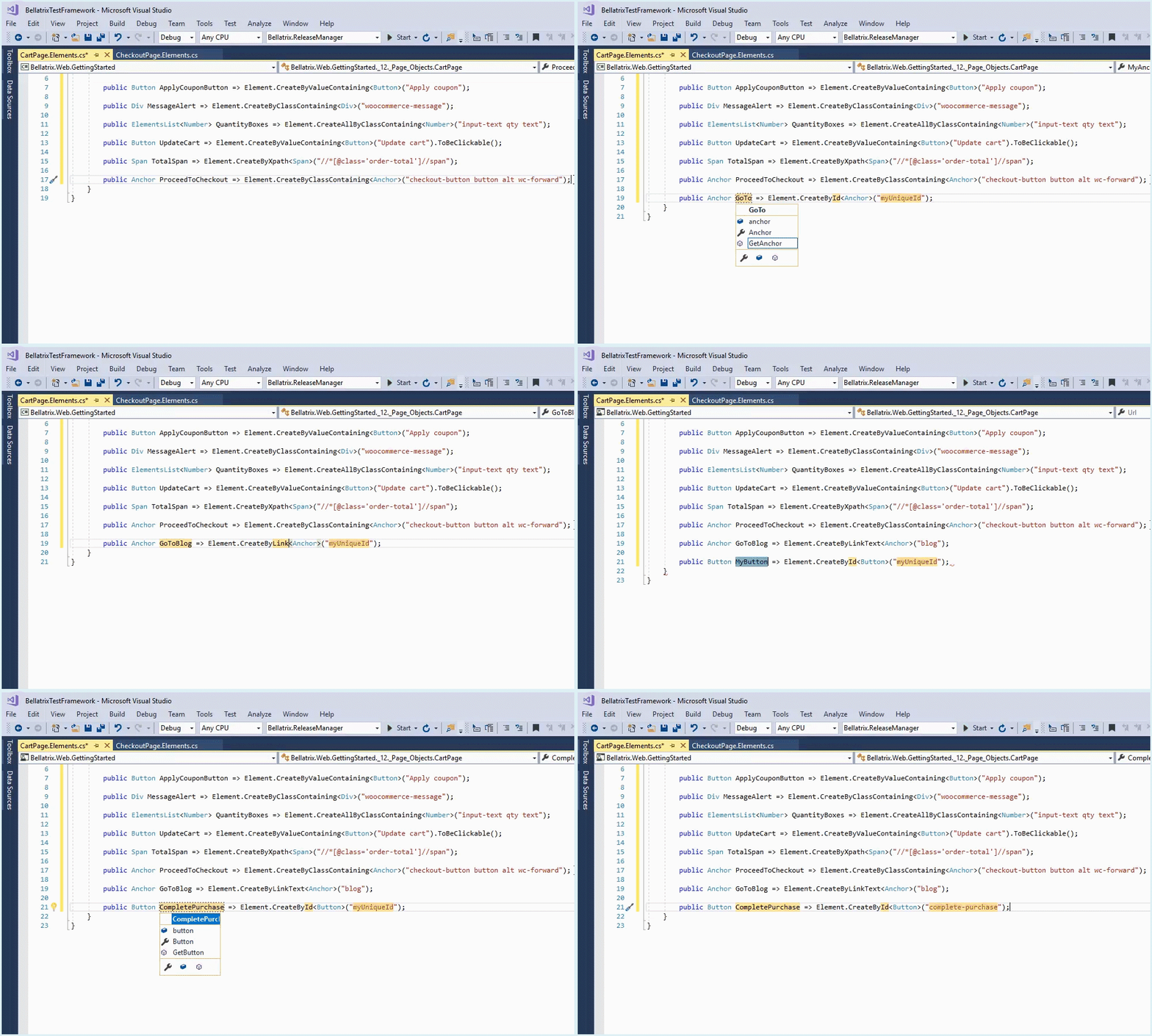
Also, you can check the article - How Visual Studio Code Snippets Can Speed up Tests’ Writing
Handy Elements Locator
For example, in vanilla WebDriver, you have 8 default By locators (Id, TagName, XPath) and you cannot add your own. However, in many cases, especially if your website uses a CMS system, the IDs of the elements are generated automatically. Meaning they can get quite hard to use- sf_colsOut-sf_1col_1_100-promotions. You might use locator- ID ending with.
This is why we will build the framework in a way so that we will be able to add new custom locators. We will add new handy elements locators like:
-
Id Ending with
-
Xontaining value ending with
-
Class containing
-
inner text containing
-
Name ending with
-
Attributes containing
API Usability- Locate Elements
We will need additional methods and ability to add custom locators.
For example, in WebDriver to find an element, we use the FindElement method while specifying the locator through By class.
IWebElement agreeCheckBox = driver.FindElement(By.Id("agreeChB"));
agreeCheckBox.Click();
However, this syntax requires additional effort. It is not fluent since you had to begin a new “chain” using the By static class. Also, it is not extendable if you want to add custom locators.
So, for our new еnterprise framework, I want to create a better “writing experience”. This is why we can make new methods for each new locator called CreateBy. Also, we will extend the native WebDriver element by saving how the element was located. Everything will follow the natural writing flow, leveraging to the maximal degree on IntelliSense. If you add your custom locator, your method will appear as well.
CheckBox agreeCheckBox = App.ElementCreateService.CreateById<CheckBox>("agreeChB");
agreeCheckBox.Check();
3. Accelerated Test Execution Features
The framework can speed up the test execution by enhanced finding and waiting of elements, and providing an improved browser life cycle control and the ability to run tests in headless mode.
Optimized Element Finding and Waiting
One of the most significant problems in test automation is handling timeouts and performing actions on elements which may not be on the page right now.
If you use global timeouts such as WebDriver implicit wait.
IWebDriver driver = new ChromeDriver();
driver.Manage().Timeouts().ImplicitWait = TimeSpan.FromSeconds(30);
In some cases, you may need a larger wait interval. What do you do if this happens? One option is to increase the global timeout, but this will affect all existing tests, slowing down the whole test run significantly.
Another option is to use the global timeout and occasionally add hard-coded pauses in your tests where needed.
Thread.Sleep(2000);However, this is the worst thing you can do. One time you may need to wait 1 second, and another time 5 seconds. If you always use the biggest possible pause, your tests will get slower and slower.
So, we should build our еnterprise test automation framework to hide the whole complexity of searching and waiting for elements. All elements should be returned immediately when they are present on the page in the right state.
Optimized Browser Life Cycle Control
Two of the operations that take the most time in web tests are related to starting and closing the web browsers. Each of these operations can take from a fraction of a second to several seconds. If you open and close the browser for each test and you have thousands of tests, this can make your test runs more than twice as long!
Our framework should offer an automated way of handling the browser life cycle across multiple tests to fight this problem. You need to set this behavior in the Browser attribute applied to each test class.
[Browser(BrowserType.Firefox, BrowserBehavior.ReuseIfStarted)]
public class BellatrixBrowserBehaviourTests : WebTest
The browser life-cycle will be configured through the browser behavior property.
Available options:
-
RestartEveryTime - for each test a separate WebDriver instance is created and the previous browser is closed.
-
RestartOnFail - the browser is only restarted if the previous test failed.
-
ReuseIfStarted - the browser is only restarted if the previous test’s browser was different. In all other cases, the browser is reused if possible.
Run Tests in Headless Mode
Your tests execute even faster if we use the so-called headless mode.
We can build the engine so that when we set ChromeHeadless**,** FirefoxHeadless, EdgeHeadless for browser type in the Browser attribute the headless mode to be turned on.
[Browser(BrowserType.FirefoxHeadless, BrowserBehavior.ReuseIfStarted)]Software Machine Automation
The software machine automation module will allow us to install/upgrade desired software such as browsers, extensions through code. You can read more about it in the article- Software Management Automation in Automated Testing
Traditional tools are not built for modern automation and a DevOps approach, which can make achieving consistency and gaining insights across your environment difficult. There are a lot of different installer formats and multiple approaches to deploying software. Deploying software without package management can be complicated and time-consuming. Software management automation simplifies this through a simple, repeatable, and automated approach, by using a universal packaging format for managing all software. It doesn’t matter if you are using native installers, zips, scripts, binaries, or in-house developed applications and tools.
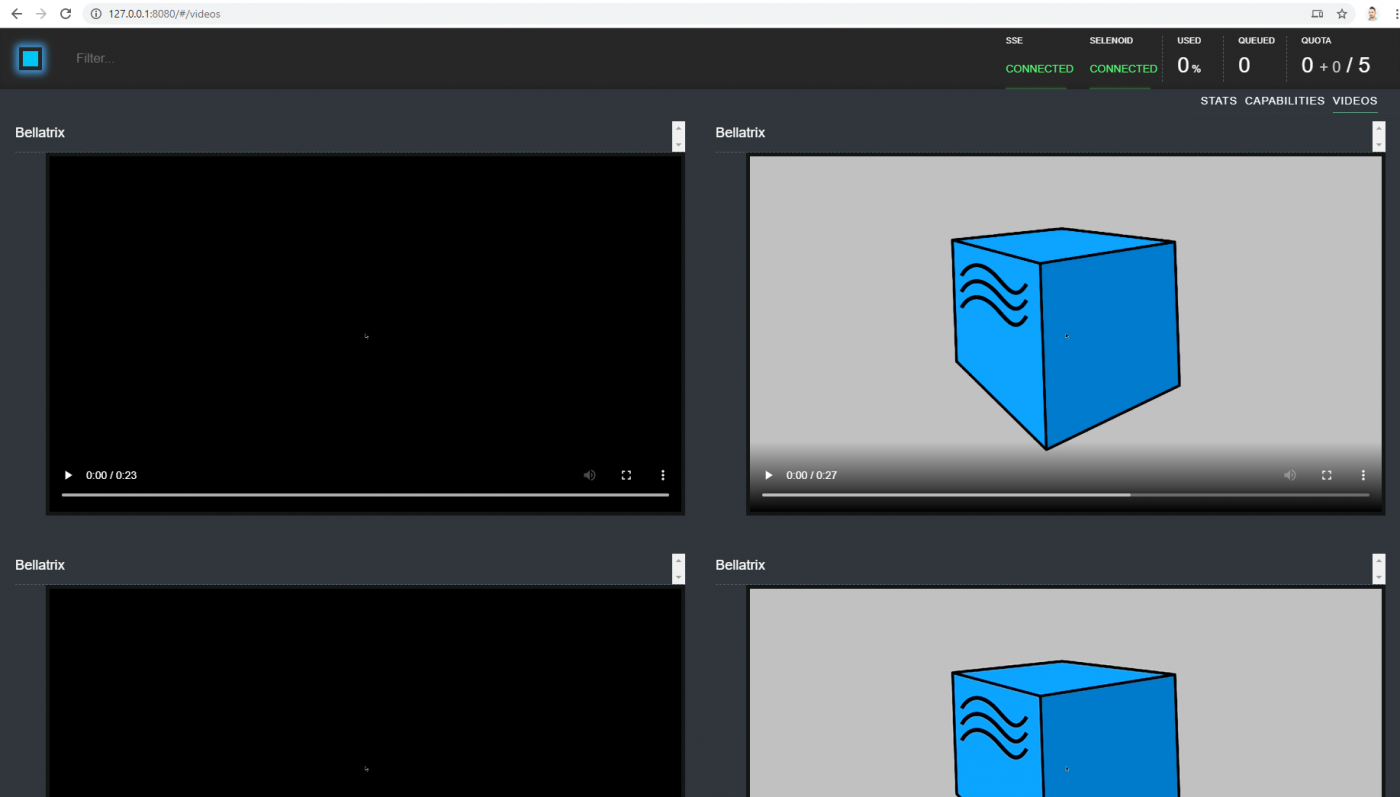
Execute Tests in Docker Containers using Selenoid
Selenoid is a robust implementation of the Selenium hub using Docker containers to launch browsers. No need to manually install browsers or dive into WebDriver documentation. Any browser session can be saved to the H.264 video. An API to list, download, and delete saved log files. Suitable for personal usage and in big clusters.
4. Human Readable Features
Test readability can be improved built-in page objects, specific web controls with relevant actions, and properties with proper names. We can also generate test cases that are understandable for non-technical people or integrate BDD tools such as SpecFlow or Gauge.
Since WebDriver is not a test framework, it is written in most generic manner. All web elements share a common IWebElement interface- containing the same methods and properties. For example- you use SendKeys method to type text in the text field, to click a button using Enter key or upload a file. Or why do you need Click method for DIV or text field?
IWebElement agreeCheckBox = driver.FindElement(By.Id("agreeChB"));
agreeCheckBox.Click();
IWebElement firstNameTextField = driver.FindElement(By.Id("firstName"));
firstNameTextField.SendKeys("John");
IWebElement avatarUpload = driver.FindElement(By.Id("uploadAvatar"));
avatarUpload.SendKeys("pathTomyAvatar.jpg");
IWebElement saveBtn = driver.FindElement(By.Id("saveBtn"));
agreeCheckBox.SendKeys(Keys.Enter);
One more thing, if you don’t use suffixes in the names of your variables or properties, you won’t know what type of elements they are. In the case that you want to perform specific verifications, this might be important. For example, anchor web elements cannot be disabled, although buttons can.
Our custom framework should offer strongly-typed web controls such as anchor, button, text field, checkbox, etc. Each specific control will contain well-named actions and properties that are most relevant to it. Reading the code should allow you to quickly determine the elements’ type since it is the first thing you see. Moreover, specific action methods and properties will make the code more self-explanatory.
CheckBox agreeCheckBox = App.ElementCreateService.CreateById<CheckBox>("agreeChB");
agreeCheckBox.Check();
TextField firstNameTextField = App.ElementCreateService.CreateById<TextField>("firstName");
firstNameTextField.SetText("John");
InputFile avatarUpload = App.ElementCreateService.CreateById<InputFile>("uploadAvatar");
avatarUpload.Upload("pathTomyAvatar.jpg");
Button saveBtn = App.ElementCreateService.CreateById<Button>("saveBtn");
saveBtn.ClickByEnter();
Hide Low-level Details with Page Objects
Page objects are classes that group elements, actions, and assertions that are related to a specific web page. Some of the benefits are reuse elements locators, fix elements locators in a single place, you can combine elements in use case methods, reuse assertion exception messages, hide low-level API details- such as waiting for elements.
Our framework can offer enhanced built-in page objects. Each page object can be spread among three files. Each file holds a specific group of methods and properties. We can have one for actions, one for declaring elements, and one more for assertions.
var homePage = App.GoTo<HomePage>();
homePage.FilterProducts(ProductFilter.Popularity);
homePage.AddProductById(28);
homePage.ViewCartButton.Click();
var cartPage = App.Create<CartPage>();
cartPage.ApplyCoupon("happybirthday");
cartPage.UpdateProductQuantity(1, 2);
cartPage.AssertTotalPrice("95.00");
cartPage.ProceedToCheckout.Click();
BDD Logging
There are cases when you need to show your colleagues or managers what tests you have. Sometimes you may have manual test cases, but their maintenance and up-to-date state are questionable. It will be cool if our framework can automatically generate these test cases in the below format.
Start Test
Class = BDDLoggingTests Name = PurchaseRocketWithLogs
Select 'Sort by price: low to high' on CartPage
Click ApplyCupon on CartPage
Ensure SuccessDiv on CartPage inner text is 'Coupon code applied successfully.'
Set '0' into QuantityNumber on CartPage
Click UpdateCartButton on CartPage
Ensure OrderTotalSpan on CartPage inner text is '95.00€'
BDD Syntax Support
As we defined, it will be great if we can also generate test cases that are understandable for non-technical people or integrate BDD tools such as SpecFlow or Gauge. Let’s say that we will use SpecFlow.
Note: SpecFlow is a tool binding business requirements to .NET Code or Cucumber for .NET. Behavioral Driven Development (BDD) is a software development approach that has evolved from TDD (Test Driven Development). It differs by being written in a shared language, which improves communication between tech and non-tech teams and stakeholders. In both development approaches, tests are written ahead of the code, but in BDD, tests are more user-focused and based on the system’s behavior.
The test cases will be defined as SpecFlow scenarios in feature files. Some of the logic is called as SpecFlow steps. We can create custom-coded SpecFlow steps for advanced framework logic where you call our еnterprise test automation framework APIs.
Feature: CommonServices
In order to use the browser
As a automation engineer
I want BELLATRIX to provide me handy method to do my job
Background:
Given I use Firefox browser on Windows
And I reuse the browser if started
And I capture HTTP traffic
And I take a screenshot for failed tests
And I record a video for failed tests
And I open browser
Scenario: Browser Service Common Steps
When I navigate to URL http://demos.bellatrix.solutions/product/falcon-9/
And I refresh the browser
When I wait until the browser is ready
And I wait for all AJAX requests to finish
And I maximize the browser
And I navigate to URL http://demos.bellatrix.solutions/
And I click browser's back button
And I click browser's forward button
And I click browser's back button
And I wait for partial URL falcon-9
In the next article, we will continue describing the features part of the “Easy Knowledge Transfer”, “Highly Extensible”, “Troubleshooting Easiness” characteristics. Also, you can download the full source code of open-source test automation BELLATRIX from the below button. It is one of the feature richest frameworks out there that are free. It supports web, mobile, API, desktop, and load testing. We will use it in all of the next articles as a showcase. So, I encourage you to download it, start playing with it, debugging, and looking into the code.
