

Editorial Note: I originally wrote this post for the Test Huddle Blog. You can check out the original here, at their site.
This is the fifth article from the WebDriver Page Objects Series. It is dedicated to page objects using partial classes and exposing elements as string properties.
In the previous articles from the series, I showed you how to create more maintainable page objects through separating the code of the pages in three different files. Moreover, you are no more obligated to use the Selenium.Support NuGet package. The primary difference compared to the other versions of the pattern will be that here we will not expose the whole interface of the elements. Instead, we will use them as string properties, simplifying the API.
Two years ago while we were working on the first version of the BELLATRIX test automation framework, I did this research so that we can find the most convenient way for creating page objects.
Test Case
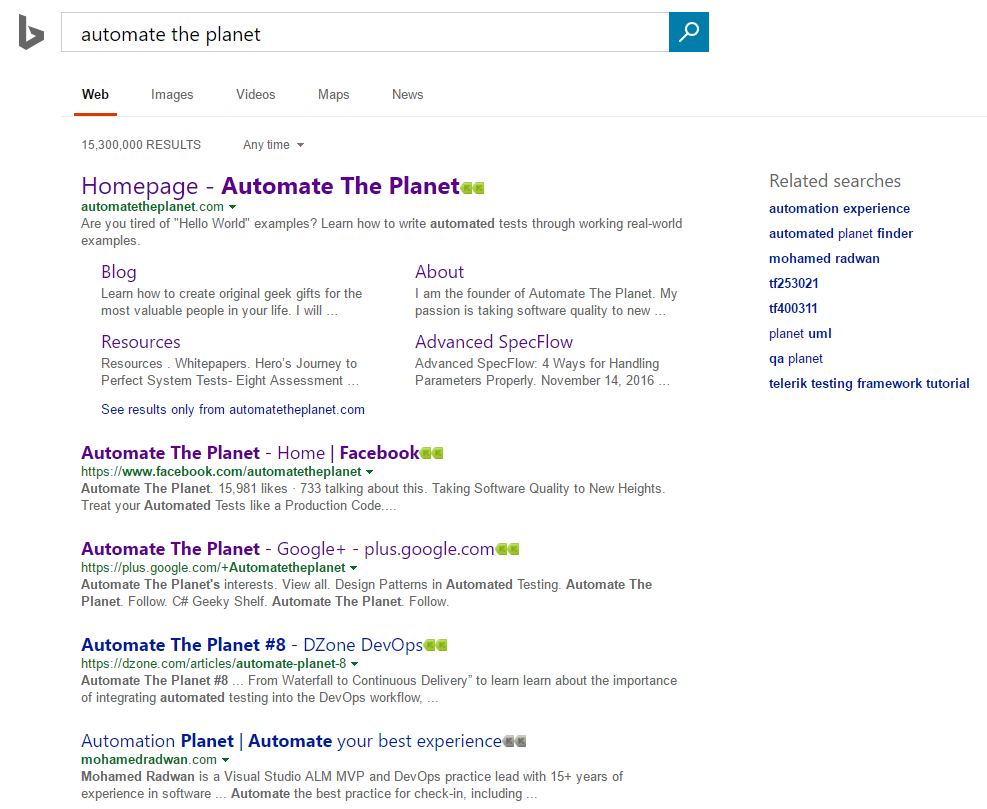
We will once again automate the main SearchEngine page. All of the code is placed inside the SearchEngineMainPage class.
Page Objects using String Properties Code
SearchEngineMainPage Initial Version
public partial class SearchEngineMainPage
{
    private readonly IWebDriver _driver;
    private readonly string _url = @"searchEngineUrl";
    public SearchEngineMainPage(IWebDriver browser) => _driver = browser;
    public void Navigate() => _driver.Navigate().GoToUrl(_url);
    public void Search(string textToType)
    {
        SearchBox.Clear();
        SearchBox.SendKeys(textToType);
        GoButton.Click();
    }
}
SearchEngineMainPage String Properties’ Version
public partial class SearchEngineMainPage
{
    private readonly IWebDriver _driver;
    private readonly string _url = @"searchEngineUrl";
    public SearchEngineMainPage(IWebDriver browser) => _driver = browser;
    public void Navigate() => _driver.Navigate().GoToUrl(_url);
    public void Search(string textToType)
    {
        SearchBox = textToType;
        GoButton.Click();
    }
}
The difference here is that we do not call the SendKeys method anymore. Instead, we assign the value directly to the element’s property.
SearchEngineMainPage.Map Initial Version
public partial class SearchEngineMainPage
{
    public IWebElement SearchBox
    {
        get
        {
            return this._driver.FindElement(By.Id("sb_form_q"));
        }
    }
    public IWebElement GoButton
    {
        get
        {
            return this._driver.FindElement(By.Id("sb_form_go"));
        }
    }
    public IWebElement ResultsCountDiv
    {
        get
        {
            return this._driver.FindElement(By.Id("b_tween"));
        }
    }
}
SearchEngineMainPage.Map String Properties Version
public partial class SearchEngineMainPage
{
    public string SearchBox
    {
        get => _driver.FindElement(By.Id("sb_form_q")).Text;
        set
        {
            var element = _driver.FindElement(By.Id("sb_form_q"));
            element.Clear();
            element.SendKeys(value);
        }
    }
    public IWebElement GoButton => _driver.FindElement(By.Id("sb_form_go"));
    public string ResultsCountDiv => _driver.FindElement(By.Id("b_tween")).Text;
}
As you can see we wrap the nitty gritty details of the WebDriver’s API here directly in the properties. Then return only the required information instead of the whole IWebElement object. This way the users of your pages/API will not be able to shoot themselves in the foot.
SearchEngineMainPage.Asserter Initial Version
public partial class SearchEngineMainPage
{
    public void AssertResultsCount(string expectedCount) => Assert.AreEqual(ResultsCountDiv.Text, expectedCount);
}
As demonstrated, here we get the text in the element through the Text property of the element.
SearchEngineMainPage.Asserter String Properties Version
public partial class SearchEngineMainPage
{
    public void AssertResultsCount(string expectedCount) => Assert.AreEqual(ResultsCountDiv, expectedCount);
}
The primary difference is that we access the inner text of the element without the call to the Text property.
For more detailed overview and usage of many more design patterns and best practices in automated testing, check my book “Design Patterns for High-Quality Automated Tests, C# Edition, High-Quality Tests Attributes, and Best Practices”. You can read part of three of the chapters:
Defining High-Quality Test Attributes for Automated Tests
Benchmarking for Assessing Automated Test Components Performance
Generic Repository Design Pattern- Test Data Preparation
Elements’ String Properties in Tests
public class SearchEngineTests
{
    private IWebDriver _driver;

    public void SetupTest()
    {
        _driver = new FirefoxDriver();
        _driver.Manage().Timeouts().ImplicitWait = TimeSpan.FromSeconds(30);
    }

    public void TeardownTest()
    {
        _driver.Quit();
    }

    public void SearchTextInSearchEngine_First()
    {
        var searchEngineMainPage = new SearchEngineMainPage(_driver);
        searchEngineMainPage.Navigate();
        searchEngineMainPage.Search("Automate The Planet");
        searchEngineMainPage.AssertResultsCount("236,000 RESULTS");
    }

    public void SearchTextInSearchEngine_UseElementsDirectly()
    {
        var searchEngineMainPage = new SearchEngineMainPage(_driver);
        searchEngineMainPage.Navigate();
        searchEngineMainPage.SearchBox = "Automate The Planet";
        searchEngineMainPage.GoButton.Click();
        Assert.AreEqual(searchEngineMainPage.ResultsCountDiv, "236,000 RESULTS");
    }
}
You can create service methods for most common operations as we did with the Search method. However, you can use the elements’ string properties directly as shown in the example tests.
In future articles, I will share with you other modifications of the design pattern that can make your tests even more maintainable. You can find even more articles in the Design Patterns in Automated Testing Series.
