
In the new article from the Web Automation Series with C#, we will talk about creating a data-driven xUnit test automating all major web technologies such as React, Angular, Vue.js, and many more. Many people speculate that Selenium WebDriver is outdated and cannot work for modern web technologies, thus promoting other questionable tools such as Cypress, Playwright, Protractor (which is going away). Again if you apply the proper design patterns and best practices, you can make almost any tool work. I am not entirely against the mentioned solutions. You can still succeed. I am just saying that many people started recently saying awful stuff about Selenium. I can say the same about these solutions. With the proper knowledge, you can easily automate everything with Selenium. This article is the proof.
The Use Case
What are we going to test? Recently, I watched a webinar organized by the Test team of JetBrains. It was OK. It was in Java. The most helpful thing I got was this fantastic website on which we will experiment. The website is called TodoMVC and is implementing the same TODO app functionality using 30+ most popular web technologies. Everything is open-source and free.
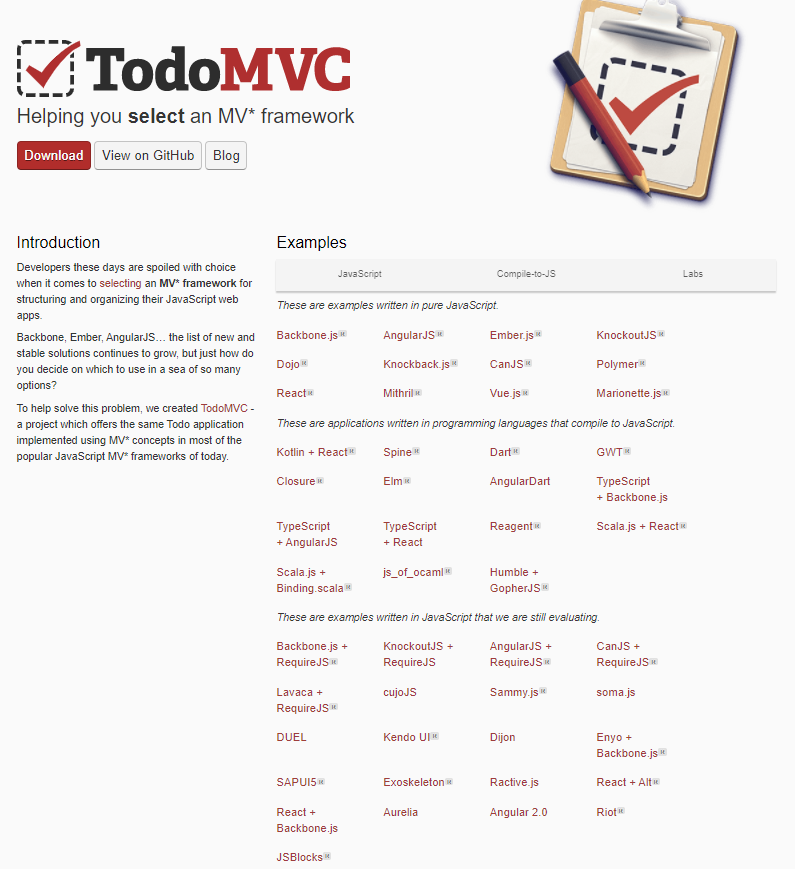
When you click on a particular technology, the corresponding app written on it opens.
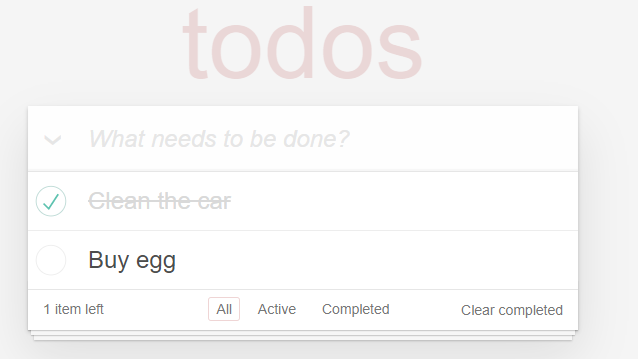
We will create a single data-driven test using xUnit, where we will open 20+ technologies. Then we will add a few TODO items, mark as complete the first one and verify the numbers of the items left.
The Selenium Test
Below you can see how a single test looks like automating the jQuery TODO app. On purpose I organized the login into few private methods.
public void VerifyTodoListCreatedSuccessfully_When_jQuery()
{
    _driver.Navigate().GoToUrl("https://todomvc.com/");
    OpenTechnologyApp("jQuery");
    AddNewToDoItem("Clean the car");
    AddNewToDoItem("Clean the house");
    AddNewToDoItem("Buy Ketchup");
    GetItemCheckBox("Buy Ketchup").Click();
    AssertLeftItems(2);
}
private void AssertLeftItems(int expectedCount)
{
    var resultSpan = WaitAndFindElement(By.XPath("//footer/*/span | //footer/span"));
    if (expectedCount <= 0)
    {
        ValidateInnerTextIs(resultSpan, $"{expectedCount} item left");
    }
    else
    {
        ValidateInnerTextIs(resultSpan, $"{expectedCount} items left");
    }
}
private void ValidateInnerTextIs(IWebElement resultSpan, string expectedText)
{
    _webDriverWait.Until(ExpectedConditions.TextToBePresentInElement(resultSpan, expectedText));
}
private IWebElement GetItemCheckBox(string todoItem)
{
    return WaitAndFindElement(By.XPath($"//label[text()='{todoItem}']/preceding-sibling::input")
    );
}
private void AddNewToDoItem(string todoItem)
{
    var todoInput = WaitAndFindElement(
        By.XPath("//input[@placeholder='What needs to be done?']")
    );
    todoInput.SendKeys(todoItem);
    _actions.Click(todoInput).SendKeys(Keys.Enter).Perform();
}
private void OpenTechnologyApp(string name)
{
    var technologyLink = WaitAndFindElement(By.LinkText(name));
    technologyLink.Click();
}
private IWebElement WaitAndFindElement(By locator)
{
    return _webDriverWait.Until(ExpectedConditions.ElementExists(locator));
}
Another interesting point is that I used lots of XPath Axes locators for most elements to make the tests stable and maintainable. You can check two articles that can help you write maintainable good locators - Most Underrated WebDriver Locator – XPath and Most Exhaustive XPath Locators Cheat Sheet. I suggest you learn to write the XPath yourself than relying on plugins since they generate, most of the time, ugly, not maintainable XPath.
Another interesting point is how we add a TODO item to the list. We don’t have a submit button, but instead, we need to press Enter. To do that, we use the Actions class, which allows us to do all sorts of advanced interactions. To learn all different actions you can do in WebDriver check - Most Complete Selenium WebDriver C# Cheat Sheet
Data-driven Test for 22 Web Technologies
To test all major technologies in a single test, we can use the xUnit InlineData attribute + Theory attribute. Next, the logic inside the constructor executes before each test. There we start the browser each time and initialize the WebDriverWait + Actions classes. Finally, the Dispose method that comes from the IDisposable interface closes the browser.
public class TodoTests : IDisposable
{
    private const int WAIT_FOR_ELEMENT_TIMEOUT = 30;
    private readonly IWebDriver _driver;
    private readonly WebDriverWait _webDriverWait;
    private readonly Actions _actions;
    public TodoTests()
    {
        _driver = new ChromeDriver();
        _driver.Manage().Window.Maximize();
        _webDriverWait = new WebDriverWait(_driver, TimeSpan.FromSeconds(WAIT_FOR_ELEMENT_TIMEOUT));
        _actions = new Actions(_driver);
    }
    public void Dispose()
    {
        _driver.Quit();
        GC.SuppressFinalize(this);
    }

    [InlineData("Backbone.js")]
    [InlineData("AngularJS")]
    [InlineData("React")]
    [InlineData("Vue.js")]
    [InlineData("CanJS")]
    [InlineData("Ember.js")]
    [InlineData("KnockoutJS")]
    [InlineData("Marionette.js")]
    [InlineData("Polymer")]
    [InlineData("Angular 2.0")]
    [InlineData("Dart")]
    [InlineData("Elm")]
    [InlineData("Closure")]
    [InlineData("Vanilla JS")]
    [InlineData("jQuery")]
    [InlineData("cujoJS")]
    [InlineData("Spine")]
    [InlineData("Dojo")]
    [InlineData("Mithril")]
    [InlineData("Kotlin + React")]
    [InlineData("Firebase + AngularJS")]
    [InlineData("Vanilla ES6")]
    public void VerifyTodoListCreatedSuccessfully(string technology)
    {
        _driver.Navigate().GoToUrl("https://todomvc.com/");
        OpenTechnologyApp(technology);
        AddNewToDoItem("Clean the car");
        AddNewToDoItem("Clean the house");
        AddNewToDoItem("Buy Ketchup");
        GetItemCheckBox("Buy Ketchup").Click();
        AssertLeftItems(2);
    }
    // private methods
}