

Have you had this problem trying to automate custom-tuned web controls? Probably, your team has purchased these from some dedicated UI controls vendor. There are a lot of them on the market. As you can guess, I needed to automate most of these custom controls. The approach I will share with you in this article applies to all tuned controls, no matter the vendor. Here I will show you how to automate Telerik Kendo Grid control.
Automate Custom-Tuned Web Controls WebDriver + JavaScript
I used Selenium WebDriver and the JavaScript API to automate these controls provided by the controls’ vendor. Most of the web controls on the market expose their UI JavaScript API. Another approach is to automate them through the regular WebDriver functions, but this usually never works because these types of controls depend heavily on JavaScript.
Automation Use Case
In the examples, I will automate the Kendo Grid control.
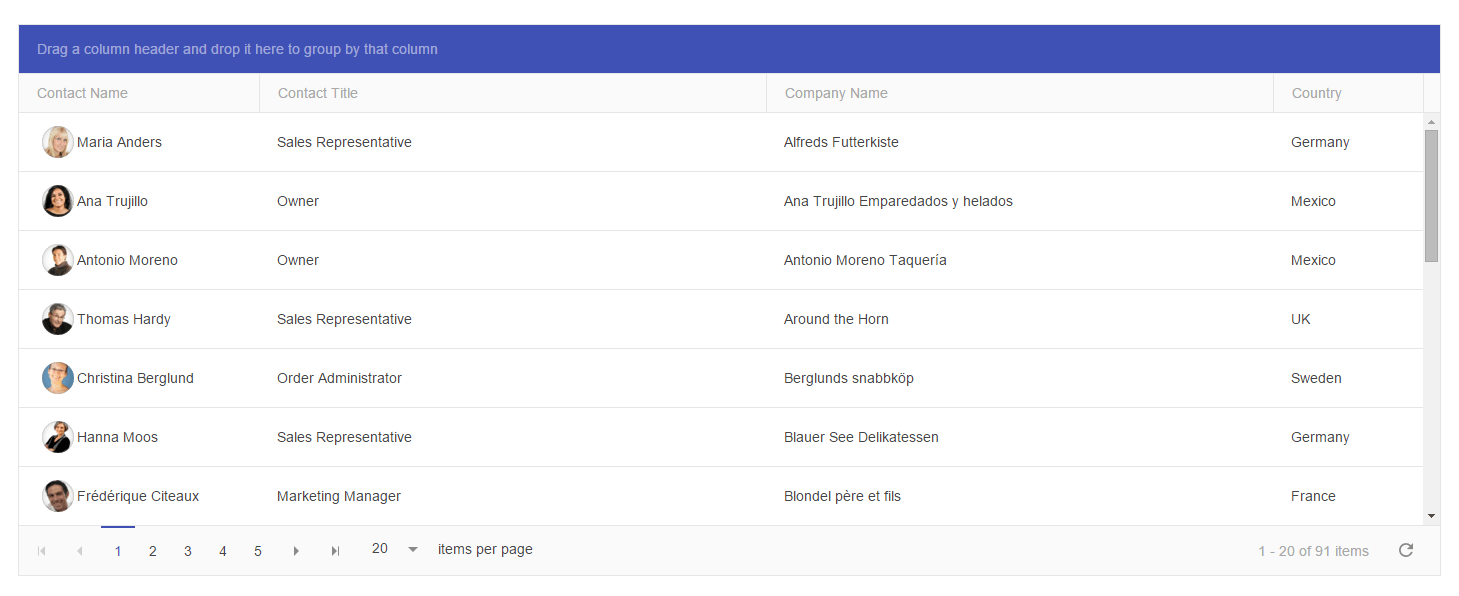
Automate Telerik Kendo Grid
Create Kendo Grid Element
First, you need to find the JavaScript API documentation of the control you are trying to automate. Next, you need to test some of the methods through the browsers’ JavaScript Console. Open the Kendo Grid’s demo in Chrome and open Developers Tools. Open the Console.
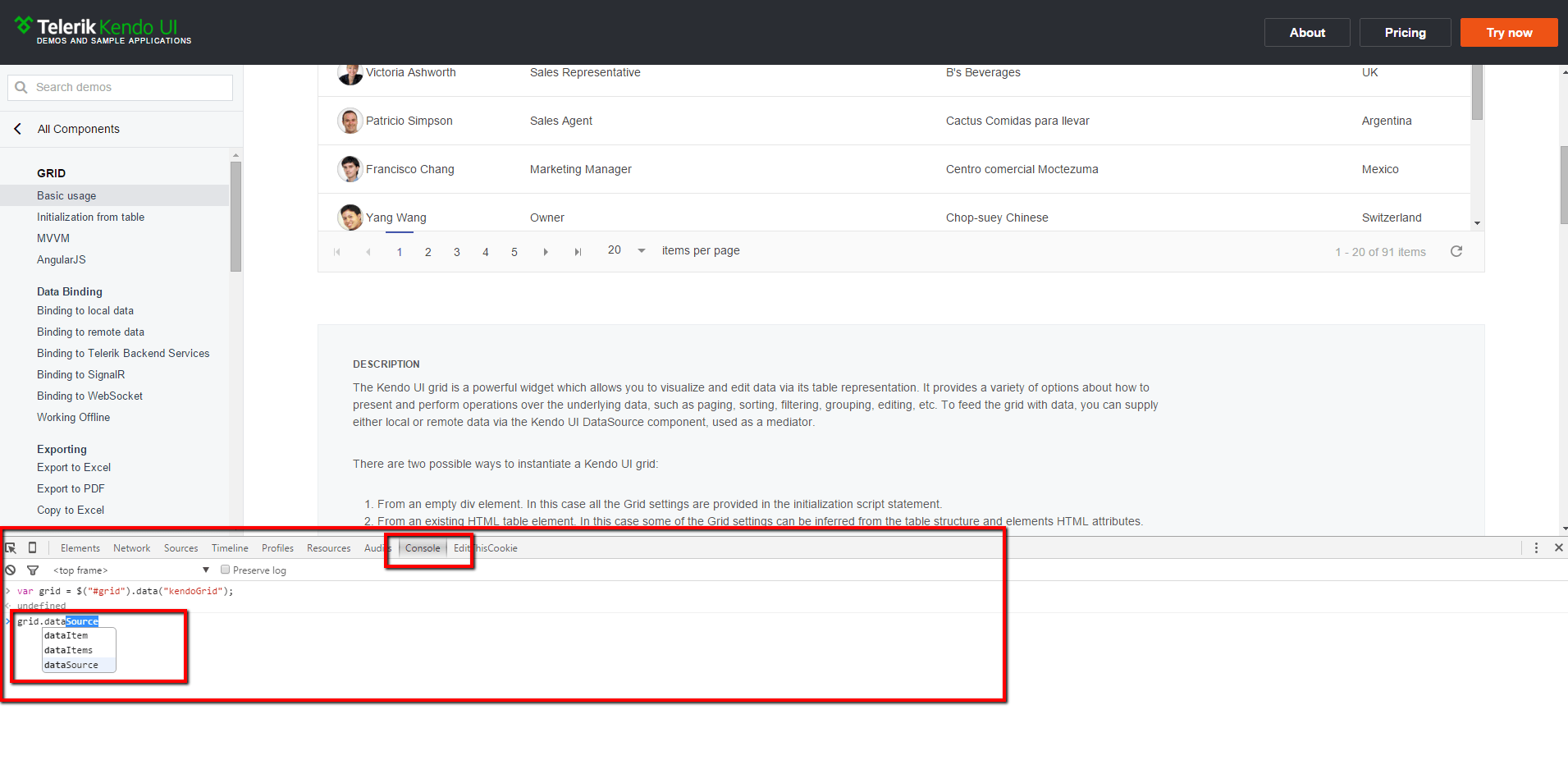
Test all API methods you will use in the automation process. The next step is to wrap all of them in Java code. Here is the skeleton of the Kendo Grid Element.
public class KendoGrid {
  private final String _gridId;
  private final JavascriptExecutor driver;
  private final WebDriverWait _wait;
  public KendoGrid(WebDriver driver, WebElement gridDiv) {
    _gridId = gridDiv.getAttribute("id");
    this.driver = (JavascriptExecutor) driver;
    _wait = new WebDriverWait(driver, 30);
  }
  public void navigateToPage(int pageNumber) {
    var jsToBeExecuted = getGridReference();
    jsToBeExecuted = jsToBeExecuted + "grid.dataSource.page(" + pageNumber + ");";
    driver.executeScript(jsToBeExecuted);
  }
  private String getGridReference() {
    var initializeKendoGrid = String.format("var grid = $('#%s').data('kendoGrid');", _gridId);
    return initializeKendoGrid;
  }
}
All operations are executed through the JavaScript executor of WebDriver. Because of that, the first parameter of the new element is the WebDriver’s instance. It is cast in the constructor to JavaScriptExecutor. The second parameter is the wrapper DIV element of the grid. We pass it to the constructor only to get its ID.
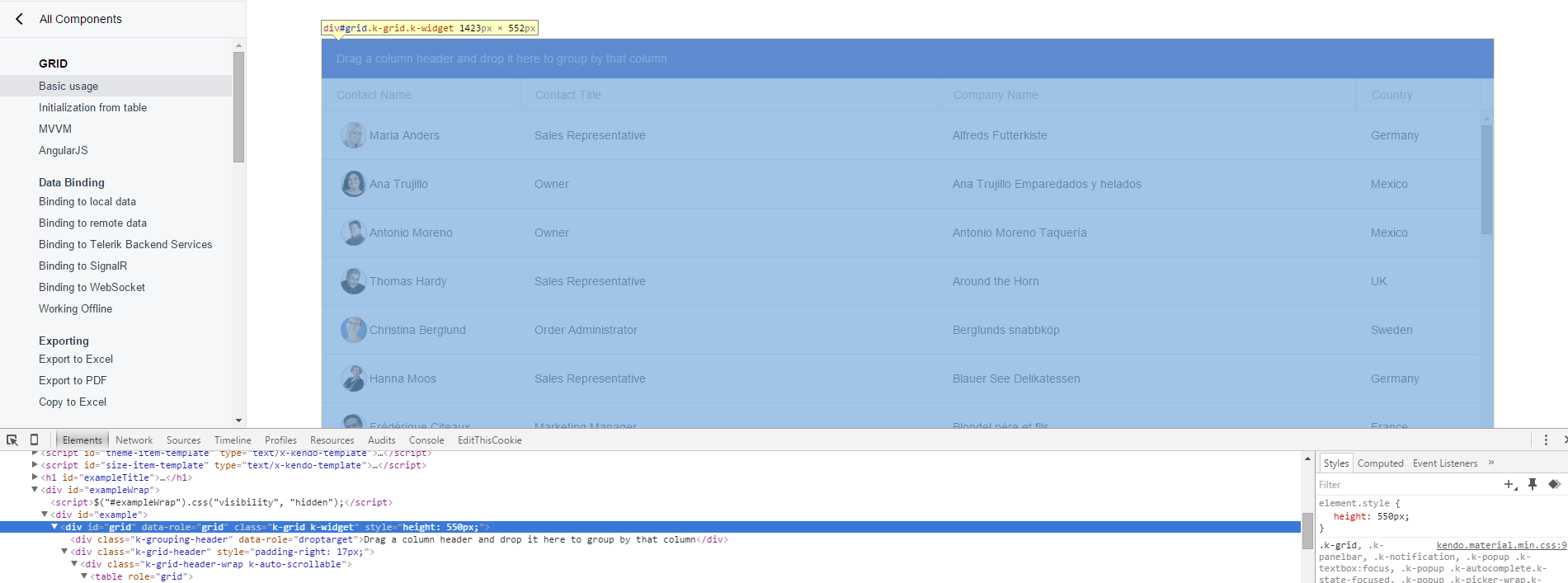
With the following JS code, we can get an instance of Kendo Grid.
var grid = $("#grid").data("kendoGrid");This code is wrapped in the GetGridReference method. It is later called before any other API’s methods.
grid.dataSource.page("5");The above JS code is used to navigate to a particular grid page. It is wrapped in the navigateToPage method.
Add More Methods to Kendo Grid Element
This is the skeleton of the Kendo Grid element. You can add as many methods as you need. Below, I will show you the most interesting ones and their usage in tests.
Sort
public void sort(String columnName, SortType sortType) {
  var jsToBeExecuted = getGridReference();
  jsToBeExecuted = jsToBeExecuted +
    "grid.dataSource.sort({field: '" + columnName + "', dir: '" + sortType.toString().toLowerCase() + "'});";
  driver.executeScript(jsToBeExecuted);
  waitForAjax();
}
Just pass the column’s name to sort and choose between ASC and DESC sorting.
Change Page Size
public void changePageSize(int newSize) {
  var jsToBeExecuted = getGridReference();
  jsToBeExecuted = jsToBeExecuted + "grid.dataSource.pageSize(" + newSize + ");";
  driver.executeScript(jsToBeExecuted);
  waitForAjax();
}
You can show more items in the grid by passing the new number as a parameter.
Get Items
One of the most unusual methods is GetItems. First, the JavaScript method returns a JSON representation of the data items in the grid. After that, we deserialize it to a list of Java objects. Next, you can perform different actions and validations on them.
public <T>List<T> getItems() {
  waitForAjax();
  var jsToBeExecuted = getGridReference();
  jsToBeExecuted = jsToBeExecuted + "return JSON.stringify(grid.dataItems());";
  var jsResults = driver.executeScript(jsToBeExecuted);
  Gson gson = new Gson();
  List <T> items = gson.fromJson(jsResults.toString(), ArrayList.class);
  return items;
}
Something specific to the WebDriver’s JavaScriptExecutor is that you need to add the return keyword to get the JS method’s response (this is working out of the box). Secondly, to format the result as JSON, you need to use JavaScript’s method JSON.stringify*.* To deserialize the JSON to Java, I installed Google’s Gson library that provides the gson.fromJson method.
Filter
public void filter(String columnName, FilterOperator filterOperator, String filterValue) throws Exception {
  filter(new GridFilter(columnName, filterOperator, filterValue));
}
public void filter(GridFilter...gridFilters) throws Exception {
  var jsToBeExecuted = getGridReference();
  var sb = new StringBuilder();
  sb.append(jsToBeExecuted);
  sb.append("grid.dataSource.filter({ logic: "
    and ", filters: [");
  for (var currentFilter: gridFilters) {
    var filterValueToBeApplied = String.format("" % s "", currentFilter.getFilterValue());
    try {
      LocalDateTime filterDateTime = LocalDateTime.parse(currentFilter.getFilterValue());
      filterValueToBeApplied = String.format("new Date(%s, %s, %s})", filterDateTime.getYear(), filterDateTime.getMonthValue() - 1, filterDateTime.getDayOfYear());
    } catch (DateTimeParseException ex) {
      // ignore
    }
    var kendoFilterOperator = convertFilterOperatorToKendoOperator(currentFilter.getFilterOperator());
    sb.append("{ field: "
      " + currentFilter.getColumnName() + "
      ", operator: "
      " + kendoFilterOperator + "
      ", value: " + filterValueToBeApplied + " },");
  }
  sb.append("] });");
  jsToBeExecuted = sb.toString().replace(",]", "]");
  driver.executeScript(jsToBeExecuted);
  waitForAjax();
}
private String convertFilterOperatorToKendoOperator(FilterOperator filterOperator) throws Exception {
  var kendoFilterOperator = "";
  switch (filterOperator) {
  case EQUAL_TO:
    kendoFilterOperator = "eq";
    break;
  case NOT_EQUAL_TO:
    kendoFilterOperator = "neq";
    break;
  case LESS_THAN:
    kendoFilterOperator = "lt";
    break;
  case LESS_THAN_OR_EQUAL_TO:
    kendoFilterOperator = "lte";
    break;
  case GREATER_THAN:
    kendoFilterOperator = "gt";
    break;
  case GREATER_THAN_OR_EQUAL_TO:
    kendoFilterOperator = "gte";
    break;
  case STARTS_WITH:
    kendoFilterOperator = "startswith";
    break;
  case ENDS_WITH:
    kendoFilterOperator = "endswith";
    break;
  case CONTAINS:
    kendoFilterOperator = "contains";
    break;
  case NOT_CONTAINS:
    kendoFilterOperator = "doesnotcontain";
    break;
  case IS_AFTER:
    kendoFilterOperator = "gt";
    break;
  case IS_AFTER_OR_EQUAL_TO:
    kendoFilterOperator = "gte";
    break;
  case IS_BEFORE:
    kendoFilterOperator = "lt";
    break;
  case IS_BEFORE_OR_EQUAL_TO:
    kendoFilterOperator = "lte";
    break;
  default:
    throw new Exception("The specified filter operator is not supported.");
  }
  return kendoFilterOperator;
}
Another interesting and a little bit complicated logic is filtering. There are two overloads of the Filter Java wrapper. The first applies a single filter. The second one can be used to apply multiple ones. The code creates new JS date objects if dates need to be filtered. Otherwise, the JS’s filter function won’t work. You can use the FilterOperator enum to choose the filter type. Later it is converted to the API’s version.
public enum FilterOperator {
  EQUAL_TO,
  NOT_EQUAL_TO,
  LESS_THAN,
  LESS_THAN_OR_EQUAL_TO,
  GREATER_THAN,
  GREATER_THAN_OR_EQUAL_TO,
  STARTS_WITH,
  ENDS_WITH,
  CONTAINS,
  NOT_CONTAINS,
  IS_AFTER,
  IS_AFTER_OR_EQUAL_TO,
  IS_BEFORE,
  IS_BEFORE_OR_EQUAL_TO
}
Kendo Grid Component Full Source Code
public class KendoGrid {
  private final String _gridId;
  private final JavascriptExecutor driver;
  private final WebDriverWait _wait;
  public KendoGrid(WebDriver driver, WebElement gridDiv) {
    _gridId = gridDiv.getAttribute("id");
    this.driver = (JavascriptExecutor) driver;
    _wait = new WebDriverWait(driver, 30);
  }

  public void removeFilters() {
    var jsToBeExecuted = getGridReference();
    jsToBeExecuted = jsToBeExecuted + "grid.dataSource.filter([]);";
    driver.executeScript(jsToBeExecuted);
    waitForAjax();
  }

  public int totalNumberRows() {
    waitForAjax();
    var jsToBeExecuted = getGridReference();
    jsToBeExecuted = jsToBeExecuted + "grid.dataSource.total();";
    var jsResult = driver.executeScript(jsToBeExecuted);
    return Integer.parseInt(jsResult.toString());
  }
  public void reload() {
    var jsToBeExecuted = getGridReference();
    jsToBeExecuted = jsToBeExecuted + "grid.dataSource.read();";
    driver.executeScript(jsToBeExecuted);
    waitForAjax();
  }
  public int getPageSize() {
    var jsToBeExecuted = getGridReference();
    jsToBeExecuted = jsToBeExecuted + "return grid.dataSource.pageSize();";
    var currentResponse = driver.executeScript(jsToBeExecuted);
    var pageSize = Integer.parseInt(currentResponse.toString());
    return pageSize;
  }
  public void changePageSize(int newSize) {
    var jsToBeExecuted = getGridReference();
    jsToBeExecuted = jsToBeExecuted + "grid.dataSource.pageSize(" + newSize + ");";
    driver.executeScript(jsToBeExecuted);
    waitForAjax();
  }
  public void navigateToPage(int pageNumber) {
    var jsToBeExecuted = getGridReference();
    jsToBeExecuted = jsToBeExecuted + "grid.dataSource.page(" + pageNumber + ");";
    driver.executeScript(jsToBeExecuted);
  }
  public void sort(String columnName, SortType sortType) {
    var jsToBeExecuted = getGridReference();
    jsToBeExecuted = jsToBeExecuted + "grid.dataSource.sort({field: '" + columnName + "', dir: '" + sortType.toString().toLowerCase() + "'});";
    driver.executeScript(jsToBeExecuted);
    waitForAjax();
  }
  public < T > List < T > getItems() {
    waitForAjax();
    var jsToBeExecuted = getGridReference();
    jsToBeExecuted = jsToBeExecuted + "return JSON.stringify(grid.dataItems());";
    var jsResults = driver.executeScript(jsToBeExecuted);
    Gson gson = new Gson();
    List < T > items = gson.fromJson(jsResults.toString(), ArrayList.class);
    return items;
  }

  public void filter(String columnName, FilterOperator filterOperator, String filterValue) throws Exception {
    filter(new GridFilter(columnName, filterOperator, filterValue));
  }

  public void filter(GridFilter...gridFilters) throws Exception {
    var jsToBeExecuted = getGridReference();
    var sb = new StringBuilder();
    sb.append(jsToBeExecuted);
    sb.append("grid.dataSource.filter({ logic: "
      and ", filters: [");
    for (var currentFilter: gridFilters) {
      var filterValueToBeApplied = String.format("" % s "", currentFilter.getFilterValue());
      try {
        LocalDateTime filterDateTime = LocalDateTime.parse(currentFilter.getFilterValue());
        filterValueToBeApplied = String.format("new Date(%s, %s, %s})", filterDateTime.getYear(), filterDateTime.getMonthValue() - 1, filterDateTime.getDayOfYear());
      } catch (DateTimeParseException ex) {
        // ignore
      }
      var kendoFilterOperator = convertFilterOperatorToKendoOperator(currentFilter.getFilterOperator());
      sb.append("{ field: "
        " + currentFilter.getColumnName() + "
        ", operator: "
        " + kendoFilterOperator + "
        ", value: " + filterValueToBeApplied + " },");
    }
    sb.append("] });");
    jsToBeExecuted = sb.toString().replace(",]", "]");
    driver.executeScript(jsToBeExecuted);
    waitForAjax();
  }
  public int getCurrentPageNumber() {
    var jsToBeExecuted = getGridReference();
    jsToBeExecuted = jsToBeExecuted + "return grid.dataSource.page();";
    var result = driver.executeScript(jsToBeExecuted);
    var pageNumber = Integer.parseInt(result.toString());
    return pageNumber;
  }
  private String getGridReference() {
    var initializeKendoGrid = String.format("var grid = $('#%s').data('kendoGrid');", _gridId);
    return initializeKendoGrid;
  }
  private String convertFilterOperatorToKendoOperator(FilterOperator filterOperator) throws Exception {
    var kendoFilterOperator = "";
    switch (filterOperator) {
    case EQUAL_TO:
      kendoFilterOperator = "eq";
      break;
    case NOT_EQUAL_TO:
      kendoFilterOperator = "neq";
      break;
    case LESS_THAN:
      kendoFilterOperator = "lt";
      break;
    case LESS_THAN_OR_EQUAL_TO:
      kendoFilterOperator = "lte";
      break;
    case GREATER_THAN:
      kendoFilterOperator = "gt";
      break;
    case GREATER_THAN_OR_EQUAL_TO:
      kendoFilterOperator = "gte";
      break;
    case STARTS_WITH:
      kendoFilterOperator = "startswith";
      break;
    case ENDS_WITH:
      kendoFilterOperator = "endswith";
      break;
    case CONTAINS:
      kendoFilterOperator = "contains";
      break;
    case NOT_CONTAINS:
      kendoFilterOperator = "doesnotcontain";
      break;
    case IS_AFTER:
      kendoFilterOperator = "gt";
      break;
    case IS_AFTER_OR_EQUAL_TO:
      kendoFilterOperator = "gte";
      break;
    case IS_BEFORE:
      kendoFilterOperator = "lt";
      break;
    case IS_BEFORE_OR_EQUAL_TO:
      kendoFilterOperator = "lte";
      break;
    default:
      throw new Exception("The specified filter operator is not supported.");
    }
    return kendoFilterOperator;
  }
  private void waitForAjax() {
    _wait.until(d -> (Boolean)((JavascriptExecutor) d).executeScript("return jQuery.active == 0"));
  }
}
Usage Tests
Below, you can find sample test usages of Kendo Grid Element’s most compelling methods.
public class KendoGridTests {
  private WebDriver driver;
  private WebDriverWait wait;
  private KendoGrid kendoGrid;
  private final String OrderIdColumnName = "OrderID";
  private final String ShipNameColumnName = "ShipName";
  @BeforeClass
  public void classInit() {
    WebDriverManager.chromedriver().setup();
  }
  @BeforeTest
  public void testSetup() {
    driver = new ChromeDriver();
    driver.manage().timeouts().implicitlyWait(10, TimeUnit.SECONDS);
    driver.manage().window().maximize();
    wait = new WebDriverWait(driver, 30);
    driver.navigate().to("https://demos.telerik.com/kendo-ui/grid/basic-usage");
    var consentButton = driver.findElement(By.id("onetrust-accept-btn-handler"));
    consentButton.click();
    kendoGrid = new KendoGrid(driver, driver.findElement(By.id("grid")));
  }
  @AfterTest
  public void afterClass() {
    driver.quit();
  }
  @Test
  public void filterContactName() throws Exception {
    kendoGrid.filter("ContactName", FilterOperator.CONTAINS, "Thomas");
    List < GridItem > items = kendoGrid.getItems();
    Assert.assertEquals(items.stream().count(), 1);
  }
  @Test
  public void sortContactTitleDesc() {
    kendoGrid.sort("ContactTitle", SortType.DESC);
    List < GridItem > items = kendoGrid.getItems();
    Assert.assertEquals(items.get(0).getContactTitle(), "Sales Representative");
    Assert.assertEquals(items.get(1).getContactTitle(), "Sales Representative");
  }
  @Test
  public void testCurrentPage() {
    var pageNumber = kendoGrid.getCurrentPageNumber();
    Assert.assertEquals(pageNumber, 1);
  }
  @Test
  public void getPageSize() {
    var pageNumber = kendoGrid.getPageSize();
    Assert.assertEquals(pageNumber, 20);
  }
  @Test
  public void getAllItems() {
    List < GridItem > items = kendoGrid.getItems();
    Assert.assertEquals(items.stream().count(), 20);
  }
}