
Editorial Note: I originally wrote this post for the Test Huddle Blog. You can check out the original here, at their site.
This is the ninth article from the WebDriver Page Objects Series. There are important details that you need to consider before choosing how to implement the Page Object design pattern in your test automation framework. One of them how and where to access your web elements. In this publication, I am going to share with you four different variations.
Two years ago while we were working on the first version of the BELLATRIX test automation framework, I did this research so that we can find the most convenient way for creating page objects.
Test Case
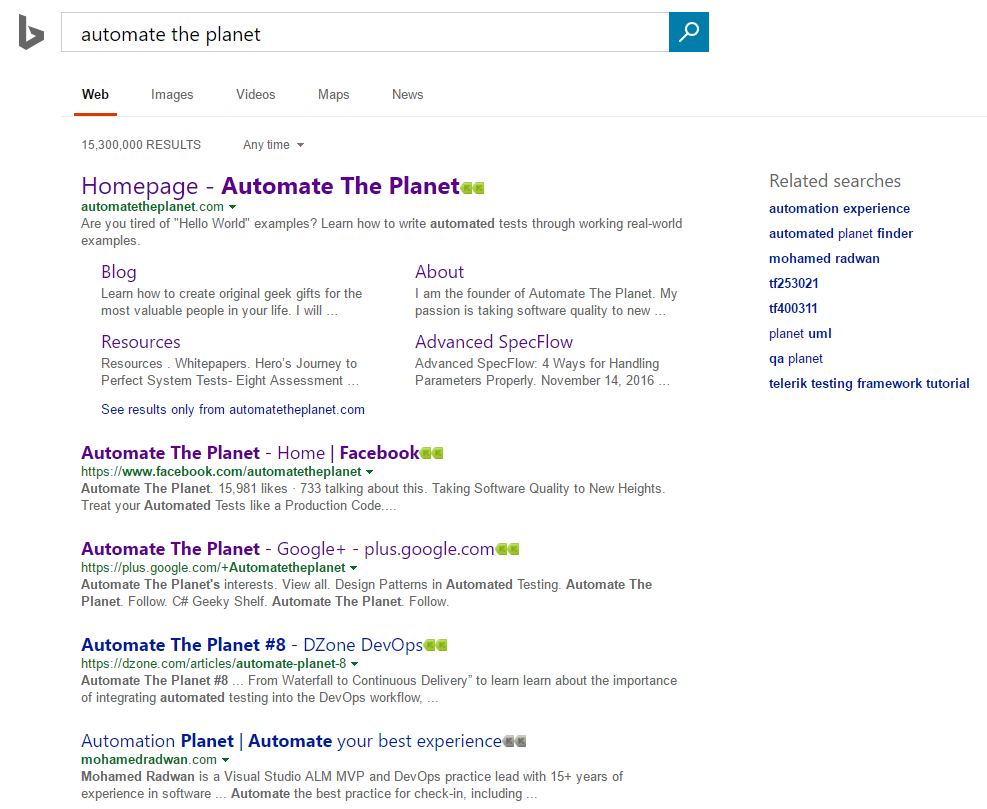
We will once again automate the main SearchEngine page. All of the code is placed inside the SearchEngineMainPage class.
1st Version Elements Exposed as Public Properties
The first version uses partial classes again. Here the elements are located in a separate file ending with the suffix Elements. Since the elements are public, you can access them in the page files and in the tests as well.
SearchEngineMainPage.Actions Public Properties Version
public partial class SearchEngineMainPage
{
    private readonly IWebDriver _driver;
    private readonly string _url = @"searchEngineUrl";
    public SearchEngineMainPage(IWebDriver browser) => _driver = browser;
    public void Navigate() => _driver.Navigate().GoToUrl(_url);
    public void Search(string textToType)
    {
        SearchBox.Clear();
        SearchBox.SendKeys(textToType);
        GoButton.Click();
    }
}
SearchEngineMainPage.Elements Public Properties Version
public partial class SearchEngineMainPage
{
    public IWebElement SearchBox => _driver.FindElement(By.Id("sb_form_q"));
    public IWebElement GoButton => _driver.FindElement(By.Id("sb_form_go"));
    public IWebElement ResultsCountDiv => _driver.FindElement(By.Id("b_tween"));
}
SearchEngineMainPage.Asserts Public Properties Version
public partial class SearchEngineMainPage
{
    public void AssertResultsCount(string expectedCount) => Assert.AreEqual(ResultsCountDiv.Text, expectedCount);
}
SearchEngineMainPage Public Properties Version in Tests
public class SearchEngineTests
{
    private IWebDriver _driver;

    public void TestInitialize()
    {
        _driver = new FirefoxDriver();
        _driver.Manage().Timeouts().ImplicitWait = TimeSpan.FromSeconds(30);
    }

    public void TestCleanup()
    {
        _driver.Quit();
    }

    public void PublicProperties_SearchTextInSearchEngine_First()
    {
        var searchEngineMainPage = new SearchEngineMainPage(_driver);
        searchEngineMainPage.Navigate();
        searchEngineMainPage.Search("Automate The Planet");
        searchEngineMainPage.AssertResultsCount("236,000 RESULTS");
    }

    public void PublicProperties_SearchTextInSearchEngine_UseElementsDirectly()
    {
        var searchEngineMainPage = new SearchEngineMainPage(_driver);
        searchEngineMainPage.Navigate();
        searchEngineMainPage.SearchBox.SendKeys("Automate The Planet");
        searchEngineMainPage.GoButton.Click();
        Assert.AreEqual(searchEngineMainPage.ResultsCountDiv, "236,000 RESULTS");
    }
}
In the second tests, you can see that we can access the page’s elements from the tests.
For more detailed overview and usage of many more design patterns and best practices in automated testing, check my book “Design Patterns for High-Quality Automated Tests, C# Edition, High-Quality Tests Attributes, and Best Practices”. You can read part of three of the chapters:
Defining High-Quality Test Attributes for Automated Tests
Benchmarking for Assessing Automated Test Components Performance
Generic Repository Design Pattern- Test Data Preparation
2nd Version Elements Exposed as Private Fields
SearchEngineMainPage.Actions Private Fields Version
public partial class SearchEngineMainPage
{
    private readonly IWebDriver _driver;
    private readonly string _url = @"searchEngineUrl";
    public SearchEngineMainPage(IWebDriver browser) => _driver = browser;
    public void Navigate() => _driver.Navigate().GoToUrl(_url);
    public void Search(string textToType)
    {
        _searchBox.Clear();
        _searchBox.SendKeys(textToType);
        _goButton.Click();
    }
}
All elements can be accessed only on this layer since they are private. It is not a problem to use them in the Actions file since the partial classes will be combined in a single type.
SearchEngineMainPage.Elements Private Fields Version
public partial class SearchEngineMainPage
{
    private IWebElement _searchBox => _driver.FindElement(By.Id("sb_form_q"));
    private IWebElement _goButton => _driver.FindElement(By.Id("sb_form_go"));
    private IWebElement _resultsCountDiv => _driver.FindElement(By.Id("b_tween"));
}
Now all elements are renamed to follow the private fields’ naming convention. Their names begin with the “_” prefix.
SearchEngineMainPage.Asserts Private Fields Version
public partial class SearchEngineMainPage
{
    public void AssertResultsCount(string expectedCount) => Assert.AreEqual(_resultsCountDiv.Text, expectedCount);
}
SearchEngineMainPage Private Fields Version in Tests
public class SearchEngineTests
{
    private IWebDriver _driver;

    public void TestInitialize()
    {
        _driver = new FirefoxDriver();
        _driver.Manage().Timeouts().ImplicitWait = TimeSpan.FromSeconds(30);
    }

    public void TestCleanup()
    {
        _driver.Quit();
    }

    public void PublicProperties_SearchTextInSearchEngine_First()
    {
        var searchEngineMainPage = new SearchEngineMainPage(_driver);
        searchEngineMainPage.Navigate();
        searchEngineMainPage.Search("Automate The Planet");
        searchEngineMainPage.AssertResultsCount("236,000 RESULTS");
    }
}
Now you are not able to access the elements directly in the tests. This might be your preferred approach if you do not want to expose WebDriver specific logic in your tests. This way the users of your framework are obligated to hide all of the nitty gritty details in the pages.
3rd Version Elements Exposed as Protected Fields
SearchEngineMainPage.Elements Protected Fields Version
public partial class SearchEngineMainPage
{
    protected IWebElement SearchBox => Driver.FindElement(By.Id("sb_form_q"));
    protected IWebElement GoButton => Driver.FindElement(By.Id("sb_form_go"));
    protected IWebElement ResultsCountDiv => Driver.FindElement(By.Id("b_tween"));
}
We can make all fields protected instead of private if the page object will be used as a parent for some child page where you need to access these elements.
SearchEngineChildPage.Actions Protected Fields Version
public partial class SearchEngineChildPage : SearchEngineMainPage
{
    public SearchEngineChildPage(IWebDriver driver) : base(driver)
    {
    }
    public void SomeAction()
    {
        // only here can access the protected elements.
    }
}
The usage in tests stays the same.
4th Version Elements Exposed as Public Property
SearchEngineMainPage.Actions Elements Public Property Version
public partial class SearchEngineMainPage
{
    private readonly IWebDriver _driver;
    private readonly string _url = @"searchEngineUrl";
    public SearchEngineMainPage(IWebDriver driver)
    {
        _driver = driver;
        Elements = new SearchEngineMainPageElements(_driver);
    }
    public void Navigate() => _driver.Navigate().GoToUrl(_url);
    public void Search(string textToType)
    {
        Elements.SearchBox.Clear();
        Elements.SearchBox.SendKeys(textToType);
        Elements.GoButton.Click();
    }
    public SearchEngineMainPageElements Elements { get; set; }
}
Since the elements class is now not a partial to the above one, we create a public property to access all of the elements. This way, you will be able to access the web elements on a test level.
SearchEngineMainPageElements Elements Public Property Version
public class SearchEngineMainPageElements
{
    private readonly IWebDriver _driver;
    public SearchEngineMainPageElements(IWebDriver driver) => _driver = driver;
    public IWebElement SearchBox => _driver.FindElement(By.Id("sb_form_q"));
    public IWebElement GoButton => _driver.FindElement(By.Id("sb_form_go"));
    public IWebElement ResultsCountDiv => _driver.FindElement(By.Id("b_tween"));
}
If you take a closer look, you will notice that this time the elements class is not a partial one. This is so because now we access all elements through the public property located in the Actions file.
SearchEngineMainPage.Asserts Elements Public Property Version
public partial class SearchEngineMainPage
{
    public void AssertResultsCount(string expectedCount) => Assert.AreEqual(Elements.ResultsCountDiv.Text, expectedCount);
}
To verify the text in the div, you need to get it from the Elements property.
SearchEngineMainPage Elements Public Property Version in Tests
public class SearchEngineTests
{
    private IWebDriver _driver;

    public void TestInitialize()
    {
        _driver = new FirefoxDriver();
        _driver.Manage().Timeouts().ImplicitWait = TimeSpan.FromSeconds(30);
    }

    public void TestCleanup()
    {
        _driver.Quit();
    }

    public void ElementsAsProperties_SearchTextInSearchEngine_First()
    {
        var searchEngineMainPage = new ElementsExposedAsProperties.SearchEngineMainPage(_driver);
        searchEngineMainPage.Navigate();
        searchEngineMainPage.Search("Automate The Planet");
        searchEngineMainPage.AssertResultsCount("236,000 RESULTS");
    }

    public void ElementsAsProperties_SearchTextInSearchEngine_UseElementsDirectly()
    {
        var searchEngineMainPage = new ElementsExposedAsProperties.SearchEngineMainPage(_driver);
        searchEngineMainPage.Navigate();
        searchEngineMainPage.Elements.SearchBox.SendKeys("Automate The Planet");
        searchEngineMainPage.Elements.GoButton.Click();
        Assert.AreEqual(searchEngineMainPage.Elements.ResultsCountDiv, "236,000 RESULTS");
    }
}
The first test we use the page the usual way. In the later, we can access the elements through the public Elements property. It is a matter of taste whether you want to see all elements in the IntelliSense or to access them via a property. Personally, I prefer to see all elements.
