

Editorial Note: I originally wrote this post for the Test Huddle Blog. You can check out the original here, at their site.
This is the seventh article from the WebDriver Page Objects Series. I am going to share with you how to create only once your pages and afterwards reuse them. To do that we are going to use the Singleton Design Pattern.
Two years ago while we were working on the first version of the BELLATRIX test automation framework, I did this research so that we can find the most convenient way for creating page objects.
Test Case
We will once again automate the main SearchEngine page. All of the code is placed inside the SearchEngineMainPage class.
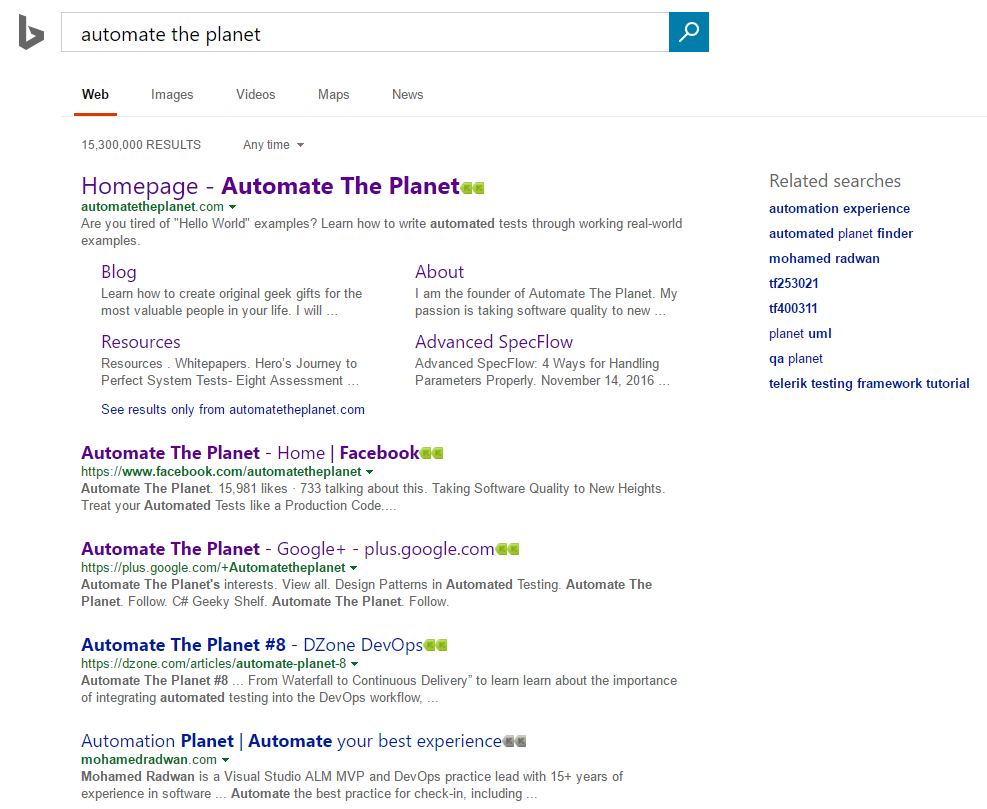
Initial Version Non-Singleton Page Objects
First, let us see how a regular non-singleton page object looks like and how we use it in tests. Then we are going to refactor it and make it singleton.
SearchEngineMainPage.Actions Non-Singleton Version
public partial class SearchEngineMainPage
{
    private readonly IWebDriver _driver;
    private readonly string _url = @"searchEngineUrl";
    public SearchEngineMainPage(IWebDriver browser) => _driver = browser;
    public void Navigate() => _driver.Navigate().GoToUrl(_url);
    public void Search(string textToType)
    {
        SearchBox.Clear();
        SearchBox.SendKeys(textToType);
        GoButton.Click();
    }
}
SearchEngineMainPage.Elements Non-Singleton Version
public partial class SearchEngineMainPage
{
    public IWebElement SearchBox => _driver.FindElement(By.Id("sb_form_q"));
    public IWebElement GoButton => _driver.FindElement(By.Id("sb_form_go"));
    public IWebElement ResultsCountDiv => _driver.FindElement(By.Id("b_tween"));
}
SearchEngineMainPage.Asserts Non-Singleton Version
public partial class SearchEngineMainPage
{
    public void AssertResultsCount(string expectedCount) => Assert.AreEqual(ResultsCountDiv.Text, expectedCount);
}
SearchEngineMainPage Non-Singleton Version in Tests
public class SearchEngineTests
{
    private IWebDriver _driver;

    public void TestInitialize()
    {
        _driver = new FirefoxDriver();
        _driver.Manage().Timeouts().ImplicitWait = TimeSpan.FromSeconds(30);
    }

    public void TestCleanup()
    {
        _driver.Quit();
    }

    public void SearchTextInSearchEngine_First()
    {
        var searchEngineMainPage = new SearchEngineMainPage(_driver);
        searchEngineMainPage.Navigate();
        searchEngineMainPage.Search("Automate The Planet");
        searchEngineMainPage.AssertResultsCount("236,000 RESULTS");
    }
}
The drawback of this approach is that we need every time to initialize our pages. Here the constructor of the page takes only a single parameter, but sometimes there are more parameters. If we use this kind of initialization in lots of tests, later changes in the tests will be harder and more error prompt. Moreover, since the pages are stateless, we do not need to initialize them multiple times since the elements are always located in the current browser instance.
For more detailed overview and usage of many more design patterns and best practices in automated testing, check my book “Design Patterns for High-Quality Automated Tests, C# Edition, High-Quality Tests Attributes, and Best Practices”. You can read part of three of the chapters:
Defining High-Quality Test Attributes for Automated Tests
Benchmarking for Assessing Automated Test Components Performance
Generic Repository Design Pattern- Test Data Preparation
Second Version Singleton Page Objects
SearchEngineMainPage.Actions Singleton Version
public partial class SSearchEngineMainPage : WebPage<SSearchEngineMainPage>
{
    private readonly string _url = @"searchEngineUrl";
    public void Navigate() => WrappedDriver.Navigate().GoToUrl(_url);
    public void Search(string textToType)
    {
        SearchBox.Clear();
        SearchBox.SendKeys(textToType);
        GoButton.Click();
    }
}
The only change compared to the previous version is that SearchEngineMainPage derive now from the WebPage generic abstract base class. The whole Singleton magic is hidden there.
WebPage
To learn more about the basics of the Singleton design pattern you can read my article- Singleton Design Pattern in Automated Testing
public abstract class WebPage<TPage>
where TPage : new()
{
    private static readonly Lazy<TPage> _lazyPage = new Lazy<TPage>(() => new TPage());
    protected readonly IWebDriver WrappedDriver;
    protected WebPage() =>
    WrappedDriver = Driver.Browser ?? throw new ArgumentNullException("The wrapped IWebDriver instance is not initialized.");
    public static TPage Instance => _lazyPage.Value;
}
We hold here a static instance of our page. We create it only once, afterwards each time we request the instance we return the already created value. The built-in .NET framework generic class Lazy
To follow the singleton design pattern more closely we can add a private constructor to the page and instead of using the new keyword to create the instance we can use Reflection.
Driver
Below you can find a static utility class that we use to create a single instance of WebDriver. It comes handy instead of copy-paste the same code repeatedly in the TestInitialize methods.
public static class Driver
{
    private static WebDriverWait _browserWait;
    private static IWebDriver _browser;
    public static IWebDriver Browser
    {
        get
        {
            if (_browser == null)
            {
                throw new NullReferenceException("The WebDriver browser instance was not initialized. You should first call the method Start.");
            }
            return _browser;
        }
        private set => _browser = value;
    }
    public static WebDriverWait BrowserWait
    {
        get
        {
            if (_browserWait == null || _browser == null)
            {
                throw new NullReferenceException("The WebDriver browser wait instance was not initialized. You should first call the method Start.");
            }
            return _browserWait;
        }
        private set => _browserWait = value;
    }
    public static void StartBrowser(BrowserType browserType = BrowserType.Firefox, int defaultTimeOut = 30)
    {
        switch (browserType)
        {
            case BrowserType.Firefox:
                Browser = new FirefoxDriver();
                break;
            case BrowserType.InternetExplorer:
                break;
            case BrowserType.Chrome:
                break;
            default:
                throw new ArgumentException("You need to set a valid browser type.");
        }
        BrowserWait = new WebDriverWait(Browser, TimeSpan.FromSeconds(defaultTimeOut));
    }
    public static void StopBrowser()
    {
        Browser.Quit();
        Browser = null;
        BrowserWait = null;
    }
}
SearchEngineMainPage Singleton Version in Tests
public class SearchEngineTests
{
    private IWebDriver _driver;

    public void TestInitialize()
    {
        Driver.StartBrowser();
    }

    public void TestCleanup()
    {
        Driver.StopBrowser();
    }

    public void Singleton_SearchTextInSearchEngine_First()
    {
        SSearchEngineMainPage.Instance.Navigate();
        SSearchEngineMainPage.Instance.Search("Automate The Planet");
        SSearchEngineMainPage.Instance.AssertResultsCount("236,000 RESULTS");
    }
}
Now we do not have the WebDriver initialization logic in the TestInitialize method. In addition, the usage of the page object in the test is changed. We use the Instance static property to get the instance of the page.
