
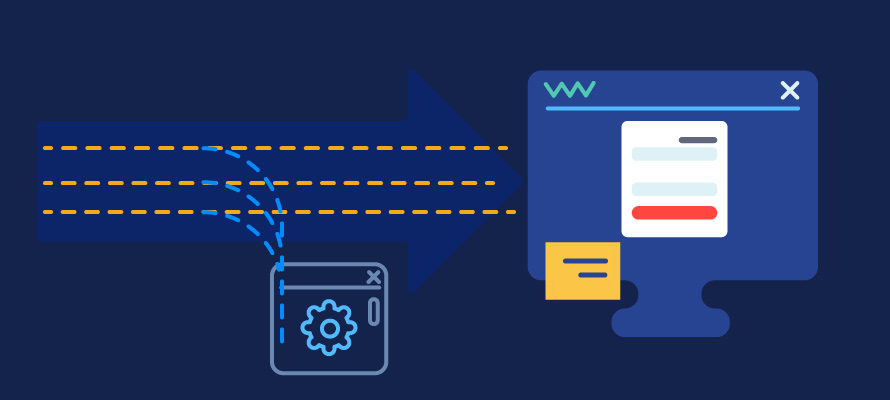
In the Web Automation Java Series, I share with you tips and tricks about how to implement various test automation scenarios using Java. In this article, I am going to explain how to intercept raw HTTP traffic using WebDriver Java. We’ll be using an open source HTTP lightweight proxy called BrowserMob. Here, I am going to show you how to integrate it into your WebDriver tests. Through it, you will be able to filter specific requests or redirect them. If you want, you can assert if some of the requests’ responses are made.
Why Do You Need to Capture HTTP Traffic?
Using the HTTP proxy, you can intercept an HTTP request originating from the browser before it is sent to the webserver and/or capture HTTP responses coming from the webserver just before they reach the browser and are rendered by it. This functionality opens up the framework to be used in a broader range of automation scenarios like:
Security Testing: In your event handlers, you have access to all the basic HTTP Request/Response properties, and you can examine, inject, alter or do whatever you want with them.
Performance Testing: You can use the HTTP event handlers to look at file sizes you are sending or receiving and even build regression tests that make sure your files don’t grow beyond a specific size.
Page Synchronization: You can now sync your test to specific requests and can detect Ajax requests over the wire.
While ago, when we were working on the first version of the BELLATRIX test automation framework, I did this research while I was working on a similar feature for our solution.
Capture HTTP Traffic in WebDriver
First, you need to install the net.lightbody.bmp:browsermob-core Maven dependency/artifact.
How to Configure BrowserMob?
We initialize the proxy once per test class. You can even do it once per test run. We start the proxy server using the start method and (explicitly) tell it to listen on port 18882 in the arguments. Of course, you can change it if needed or leave it blank, which will make it listen to the JVM-assigned port. We can then get the port using the getPort method of the proxy.
private WebDriver driver;
private BrowserMobProxyServer proxyServer;

@BeforeClass
private void classInit() {
  proxyServer = new BrowserMobProxyServer();
  proxyServer.start(18882);
  WebDriverManager.chromedriver().setup();
}

@AfterClass
public void classCleanup() {
  proxyServer.abort();
}

@BeforeMethod
public void testInit() {
  final
  var proxyConfig = new Proxy()
    .setHttpProxy("127.0.0.1:18882")
    .setSslProxy("127.0.0.1:18882")
    .setFtpProxy("127.0.0.1:18882");
  final
  var options = new ChromeOptions()
    .setProxy(proxyConfig)
    .setAcceptInsecureCerts(true);
  driver = new ChromeDriver(options);
}

@AfterMethod
public void testCleanup() {
  driver.quit();
}
Capture HTTP Requests & Responses
BrowserMob captures requests, responses, and performance data in HAR (HTTP Archive) format. We initialize it using the newHar method. You can call it before every test method to clear the data and initialize a new one.
proxyServer.newHar();Block Specific Requests
proxyServer.blacklistRequests("^._analytics._$", 403);We block all requests to analytics related URLs. Of course, you can create your conditions. Sometimes, for testing certain functionalities on your website, blocking some resources may speed up your tests.
Redirect Requests
proxyServer.rewriteUrl("^._logo.svg._$", "https://www.automatetheplanet.com/wp-content/uploads/2016/12/homepage-img-4.svg");Above, I redirect the logo of Automate the Planet to a different image.
Modify Requests
proxyServer.addRequestFilter((request, contents, messageInfo) -> {
  var method = request.getMethod().toString().toUpperCase();
  if (method.equals("POST") || method.equals("PUT") || method.equals("PATCH") || method.equals("GET")) {
    // get/set request body bytes
    byte[] bodyBytes = contents.getBinaryContents();
    contents.setBinaryContents(bodyBytes);
    // get/set request body as String
    String bodyString = contents.getTextContents();
    contents.setTextContents(bodyString);
  }
  return null;
});
Modify Responses
proxyServer.addResponseFilter((response, contents, messageInfo) -> {
  if (response.getStatus().code() == 200) {
    if (contents.getContentType().trim().toLowerCase().contains("text/html")) {
      byte[] bodyBytes = contents.getBinaryContents();
      contents.setBinaryContents(bodyBytes);
      String bodyString = contents.getTextContents();
      contents.setTextContents(bodyString);
    }
  }
});
HTTP Proxy in Tests
We use the generated HAR for the different assertions, where we store all requests and responses, using the getHar method. In the assertion methods, we filter it and check whether some conditions are true or false. We can enable additional capture types such as the request and response content, cookies, headers, and binary content, using the enableHarCaptureTypes method. Still, we won’t need them for our tests now. The possibilities are limitless.
Assert That a Request is Made
@Test
public void fontRequestMade_when_NavigateToHomePage() {
  driver.navigate().to("https://www.automatetheplanet.com/");
  assertRequestMade("fontawesome-webfont.woff2?v=4.7.0");
}

private void assertRequestMade(String url) {
  var harEntries = proxyServer.getHar().getLog().getEntries();
  boolean areRequestsMade = harEntries.stream().anyMatch(r -> r.getRequest().getUrl().contains(url));
  Assert.assertTrue(areRequestsMade);
}
Assert That no Error Codes Exist
@Test
public void testNoLargeImages_when_NavigateToHomePage() {
  driver.navigate().to("https://www.automatetheplanet.com/");
  assertNoLargeImagesRequested();
}

private void assertNoErrorCodes() {
  var harEntries = proxyServer.getHar().getLog().getEntries();
  boolean areThereErrorCodes = harEntries.stream().anyMatch(r -> r.getResponse().getStatus() > 400 &&
    r.getResponse().getStatus() < 599);
  Assert.assertFalse(areThereErrorCodes);
}
Assert That no Requests to Large Images are Made
@Test
public void testNoLargeImages_when_NavigateToHomePage() {
  driver.navigate().to("https://www.automatetheplanet.com/");
  assertNoLargeImagesRequested();
}

private void assertNoLargeImagesRequested() {
  var harEntries = proxyServer.getHar().getLog().getEntries();
  boolean areThereLargeImages = harEntries.stream().anyMatch(r -> r.getResponse().getContent().getMimeType().startsWith("image") &&
    r.getResponse().getContent().getSize() > 40000);
  Assert.assertFalse(areThereLargeImages);
}
For more detailed overview and usage of many more design patterns and best practices in automated testing, check my book “Design Patterns for High-Quality Automated Tests, C# Edition, High-Quality Tests Attributes, and Best Practices”. You can read part of three of the chapters:
Defining High-Quality Test Attributes for Automated Tests
Benchmarking for Assessing Automated Test Components Performance